Business Templates
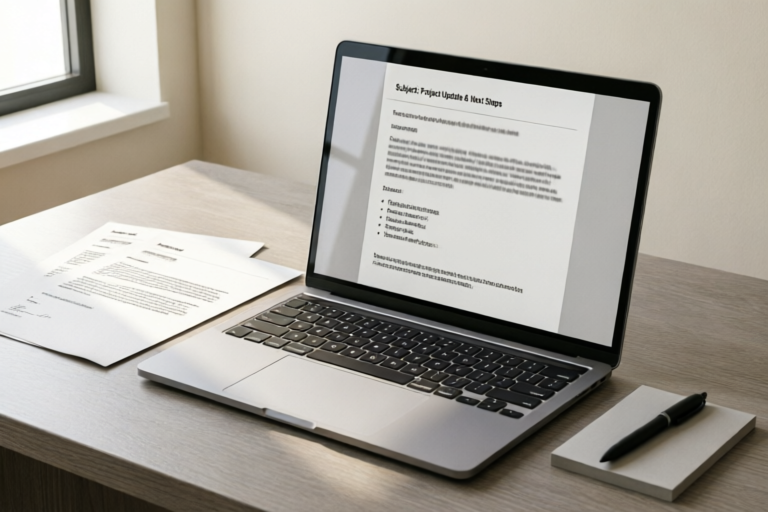
Professional Email Template For Client Communication Needs
Communicate with Clarity, Connect with Confidence
## Introduction
In the digital age of business, email remains the cornerstone of professional communication. Whether you are managing a small consultancy or leading a global corporation, the quality of your correspondence directly reflects the reliability and professionalism of your organization. A poorly crafted email can lead to misunderstandings, lost opportunities, or damaged reputations. Conversely, a polished, strategic email builds bridges, fosters trust, and drives results.
For many professionals, crafting individual emails from scratch every time is a significant drain on productivity. This is where the power of standardized yet flexible email templates comes into play. A well-designed template serves as a reliable framework that ensures consistency across all client interactions while allowing for necessary personalization. In this comprehensive guide, we will explore the importance of professional client communication, dissect the key components of an ideal email template, provide versatile drafts for common scenarios, and discuss strategies for tone adjustment to suit any client relationship.
## The Importance of Professional Client Communication
Effective communication is not merely about exchanging information; it is about establishing a connection that respects the client’s time, attention, and intelligence. When we talk about professional client communication through email, we are referring to a systematic approach that prioritizes clarity, courtesy, and competence.
### Establishing Credibility Through Consistency
Clients often judge the competency of a service provider before they have even delivered a product or service. Their primary data point is communication. When emails consistently feature correct grammar, clear formatting, and appropriate terminology, it signals attention to detail. Inconsistency, such as sudden changes in style, missing signatures, or informal slang, can create doubt. Standardized templates help maintain a uniform brand voice, ensuring that every email sent out projects the same level of professionalism. This visual and textual consistency reinforces brand identity and builds a perception of stability and dependability.
### Building Trust via Transparency and Responsiveness
Trust is the currency of business relationships. Emails serve as the tangible proof of this trust. When a client receives an email that clearly outlines next steps, potential risks, or timelines without ambiguity, their anxiety decreases, and their confidence increases. Professional templates often include sections dedicated to setting expectations. By using structured formats, you reduce the cognitive load required for the client to read your message. They know where to find the critical information immediately. Furthermore, timely responses facilitated by pre-drafted templates demonstrate respect for the client’s schedule. Knowing that a team member will respond promptly, even if the initial reply is a holding template, reduces friction and keeps the project momentum moving forward.
### Streamlining Business Interactions
Efficiency is a core driver of profitability. Without templates, every interaction requires starting from a blank canvas, thinking of a subject line, structuring the argument, and drafting the closing. By utilizing templates, professionals can focus more energy on the substance of the work rather than the mechanics of writing. This allows for higher throughput of tasks without sacrificing quality. Additionally, templates ensure that legal or compliance requirements are met in every communication. For instance, including mandatory disclaimers or confidentiality notices in a signature block guarantees that these are never accidentally omitted. This streamlining protects the company from liability and ensures smooth operational workflows.
## Key Components of an Ideal Email Template
To transform a standard email into a powerful tool for client management, specific structural elements must be mastered. An ideal template is not rigid; it is a scaffold designed to hold varied content securely. Here are the essential components that define a high-performing email template.
### 1. Clear and Compelling Subject Lines
The subject line is the gatekeeper of your email. It determines whether the recipient opens the message or deletes it. A good template includes placeholder options for different types of correspondence. For example, a status update might use `[Project Name]: Weekly Status Report - [Date]`, while a request for meeting might use `Discussion Regarding: [Topic] - Availability for [Timeframe]`. The goal is immediate context. Avoid vague subjects like "Hello" or "Update." Instead, incorporate the project name, the purpose of the email, and urgency indicators when applicable. This helps clients triage their inboxes effectively.
### 2. Appropriate Greetings
The greeting sets the tone for the entire interaction. A professional template should accommodate various levels of formality. For initial outreach, a formal "Dear Mr./Ms. [Last Name]" is standard. For ongoing relationships, a warm "Hi [First Name]" may be more appropriate. The template should leave a clear placeholder for the name to ensure it is always filled correctly, avoiding the embarrassment of generic mass mailings. Always advise users to double-check names before hitting send.
### 3. Concise Body Text and Formatting
Long blocks of text are difficult to read on mobile devices, which many clients use primarily. An effective template utilizes bullet points, short paragraphs, and bold text to highlight key data. The structure should follow a logical flow: the hook (purpose of the email), the meat (details/information), and the close (call to action). Using white space effectively makes the email feel less daunting. A clean layout suggests that the sender values the reader’s time.
### 4. Strong Calls to Action (CTAs)
Every business email should have a purpose, and rarely is that purpose simply to inform. Most emails require a response or a decision. The Call to Action must be explicit. Templates should include placeholders for CTAs such as "Please confirm receipt," "Click here to schedule," or "Reply by Friday." Ambiguity leads to delays. Make it easy for the client to take the next step. Place the CTA near the end of the email for visibility.
### 5. Signature Block and Contact Information
The footer is where the human side of the business connects with the digital interaction. A complete signature block should include the sender’s full name, job title, company logo, phone number, direct line, and physical address if applicable. Including links to social media profiles or scheduling calendars (like Calendly) further streamlines communication. This component ensures that no matter who reads the email, they know exactly who sent it and how to reach them for alternative channels.
## Versatile Templates for Common Business Scenarios
Having a library of templates is crucial because businesses rarely operate in a vacuum. Different situations demand different structures and levels of specificity. Below are detailed templates and explanations for five common scenarios.
### Scenario 1: Project Proposals
When initiating a new engagement, the proposal email must strike a balance between enthusiasm and professionalism. It introduces the scope, the value proposition, and the expected deliverables.
**Template Draft:**
Subject: Proposal for [Project Name] – Next Steps
Dear [Client Name],
Following our discussion on [Date], I am pleased to share the proposed plan for [Project Name]. As outlined, our team aims to achieve [Primary Goal] within [Timeline].
Key Deliverables:
- [Deliverable 1]
- [Deliverable 2]
- [Deliverable 3]
We believe this approach aligns perfectly with your objectives. Attached is the detailed contract and scope of work document for your review.
Could you please let us know if you have any questions regarding the scope? We are available to sign the agreement or schedule a final review call at your convenience.
Best regards,
[Your Name]
[Title]
[Company Name]
[Contact Info]
**Usage Tip:** Ensure the attachments are actually included before sending. Keep the language solution-oriented.
### Scenario 2: Weekly Status Updates
Proactive updates prevent micromanagement and build trust. Clients appreciate knowing things are moving without having to chase.
**Template Draft:**
Subject: [Project Name]: Weekly Status Report – [Week of Date]
Hi [Client Name],
Here is a quick recap of progress made during this week regarding [Project Name].
Completed Tasks:
[ ] Task A was finalized.
[ ] Task B is ready for review.
Upcoming Focus:
[ ] Task C begins on Monday.
[ ] Research for Phase 2 has started.
Risks/Blockers:
None at this time. / [Briefly mention blocker and mitigation plan].
If you need immediate clarification on any item, just reply to this thread. Otherwise, we look forward to reporting again next week.
Cheers,
[Your Name]
[Team Name]
**Usage Tip:** Use bold text for blockers. If there are no blockers, explicitly state so to reassure the client.
### Scenario 3: Customer Support Responses
Empathy and speed are paramount in support communications. The template must sound apologetic (if warranted) and solution-focused.
**Template Draft:**
Subject: Re: Issue Ticket #[Ticket Number] - [Issue Description]
Dear [Client Name],
Thank you for reaching out regarding the issue with [Product/Service]. We understand how important [Functionality] is to your workflow, and we sincerely apologize for the inconvenience caused.
Our technical team has investigated the report you submitted. Here is what we found:
[Explanation of issue in layman’s terms].
Current Resolution:
[Step-by-step fix provided].
We expect this to resolve the problem within [Timeframe]. Please monitor the system and let us know if you encounter further errors. We are standing by for your feedback.
Warm regards,
[Support Team Member Name]
Customer Success Team
[Company Name]
**Usage Tip:** Never use this template without reading the specifics. The explanation of the issue must be accurate to the specific ticket history.
### Scenario 4: Meeting Follow-Ups
After a discussion, a written summary confirms alignment and documents decisions. This prevents "he said, she said" moments later.
**Template Draft:**
Subject: Recap: Meeting Notes for [Topic] – [Date]
Hello [Attendees Names],
It was great connecting with everyone today. Below are the key action items and decisions we agreed upon:
Agenda Decisions:
1. [Decision 1]
2. [Decision 2]
Action Items:
- [Name]: Due [Date] - [Task]
- [Name]: Due [Date] - [Task]
Next Steps:
We will reconvene on [Next Meeting Date] to review progress. The invitation will follow shortly.
Thank you for your contribution.
Best,
[Your Name]
**Usage Tip:** Send this within 24 hours while the conversation is fresh. Invitees should verify the notes for accuracy.
### Scenario 5: Requesting Feedback
Closing the loop is vital for continuous improvement. Asking for feedback politely shows you value their opinion.
**Template Draft:**
Subject: Quick Question Regarding Our Recent Collaboration
Hi [Client Name],
Now that we have completed [Phase/Deliverable], I wanted to touch base briefly. We truly value your partnership, and your perspective helps us grow.
Would you be open to sharing a few thoughts on the process? Specifically, we would love to know if the communication timeline met your expectations.
Even a one-sentence reply helps us immensely.
Thanks,
[Your Name]
**Usage Tip:** Offer a link to a survey if you want structured data. Otherwise, keep the ask simple to increase response rates.
## Strategies for Tone Adjustment and Personalization
While templates provide structure, they must not sound robotic. The art lies in adapting the template to fit the specific relationship and context. Tone acts as the emotional subtext of your communication.
### Matching the Client’s Industry Standards
Different industries operate with different conventions. Legal firms typically expect formal, precise language with zero slang. Marketing agencies might prefer energetic, creative phrasing. Tech startups often lean towards casual and direct. Before deploying a template, analyze the client’s own email style. If they send you emails signed as "Mike" rather than "Michael," do not overcorrect them to "Mr. Smith." Mirror their level of formality. This subtle mirroring creates a sense of rapport and comfort.
### Emotional Intelligence in Writing
Context dictates emotion. If a project is going smoothly, a cheerful, enthusiastic tone is appropriate. If a mistake occurred, the tone must shift to humble, accountable, and reassuring. Do not use a generic celebratory template for a situation involving delays or disputes. Instead, switch to the support or apology templates discussed earlier. Acknowledging the emotional weight of a situation validates the client’s feelings. Phrases like "I understand this is frustrating" carry more weight than simply "Here is the solution."
### Leveraging Data for Personalization
Modern CRM tools allow you to merge dynamic fields beyond just the name. You can insert recent purchase dates, specific milestones reached, or previous project references into the template. For example: "Since our last session on [Previous Topic]..." This shows the client that you remember your history together. Automation is efficient, but personal touches are memorable. Avoid making the customization obvious; it should feel organic to the sentence structure.
### Navigating Cultural Nuances
In a global economy, you may communicate with clients across borders. Be mindful of cultural norms regarding hierarchy and directness. Some cultures prefer indirect communication to save face, while others prize blunt honesty. While keeping the template structure consistent, adjust the phrasing of requests and refusals to align with cultural expectations. For example, avoid aggressive deadlines like "Must reply by noon." Instead, use softer constraints like "We would appreciate a response by [Time] to maintain the schedule." This flexibility preserves international relationships.
## Best Practices for Template Maintenance
Creating the templates is only half the battle; maintaining them is equally critical. A template that sits unused for three years may become outdated with changing policies, contact details, or service offerings.
### Scheduled Reviews
Establish a quarterly review cycle for your email templates. Check for broken links, outdated pricing, or deprecated features mentioned in the text. Ask yourself: "Does this still accurately reflect what we offer today?" If your services have expanded, update the templates to include new capabilities. Regular reviews ensure the tools in your toolbox remain sharp and functional.
### Version Control
Manage templates carefully to avoid sending old versions. Label them clearly with version numbers or update dates in your internal knowledge base. If you use an email signature manager, ensure it syncs automatically with HR records to prevent sending emails with deceased employees or wrong titles. Organization prevents confusion and maintains a professional image.
### Collecting Feedback on Your Own Templates
Just as you ask clients for feedback, ask your sales and support teams how effective the templates are. Are they getting replies? Are the clients confused? Internal feedback loops allow you to iterate on the language. If a section is frequently edited manually by staff, simplify that part of the template or make it more intuitive. The goal is to reduce manual effort while increasing accuracy.
## Conclusion: Optimizing Your Client Workflow
In summary, the adoption of professional email templates is a strategic move that benefits both the business and the client. By investing time upfront to design clear, compliant, and adaptable templates, organizations can free up valuable resources for high-value tasks. These tools streamline business interactions, establish credibility through consistency, and build lasting trust with stakeholders.
However, templates are not replacements for genuine human connection. They are scaffolding upon which you build authentic relationships. The true magic happens when you blend the efficiency of the template with the warmth of personalization. Remember to adjust your tone, honor your promises, and always aim for clarity. By optimizing your client workflow with these standardized frameworks, you position yourself as a partner of efficiency and excellence.
Start by auditing your current email habits. Identify the recurring patterns and draft your first set of templates today. With practice, this routine will become second nature, transforming your communication from a chore into a competitive advantage. Communicate with clarity, connect with confidence, and watch your business relationships flourish.
### Frequently Asked Questions (FAQ)
**Q: Can I reuse the same template for every client?**
A: It is recommended to categorize templates by scenario (e.g., Sales vs. Support). Within those categories, personalize the greeting and specific project details to ensure relevance. Generic mass emails reduce engagement rates.
**Q: How often should I update my email signature?**
A: Whenever your job role, contact number, or major company policy changes. It is also good practice to refresh the design annually to keep branding current.
**Q: What is the best time to send emails?**
A: While best practices vary, Tuesday through Thursday mornings are generally considered optimal for business communication, as Mondays can be chaotic and Fridays tend to have lower response rates.
**Q: Should I include tracking pixels in emails?**
A: Only with discretion and transparency. Tracking opens can be useful for lead nurturing but may invade privacy concerns with certain enterprise clients. Always prioritize the client’s comfort zone.
Comments

SimplicitySeeker
love the clean structure. kept it short and sweet just like you said
👍 11👎 0
QueryUser
any tips on handling negative news in these templates? seems tricky
👍 3👎 0

Freelancer_Lisa
bookmarked! will try the status update one tomorrow morning
👍 9👎 0

CorpLifeGuy
finally have a standard to fall back on when my brain is fried
👍 24👎 0

BusyBee99
super useful but how do i make the closing less formal? need something chill but still pro
👍 19👎 0
Alex_Designs
just used the project proposal section cleared up some confusion with a vendor instantly
👍 22👎 0