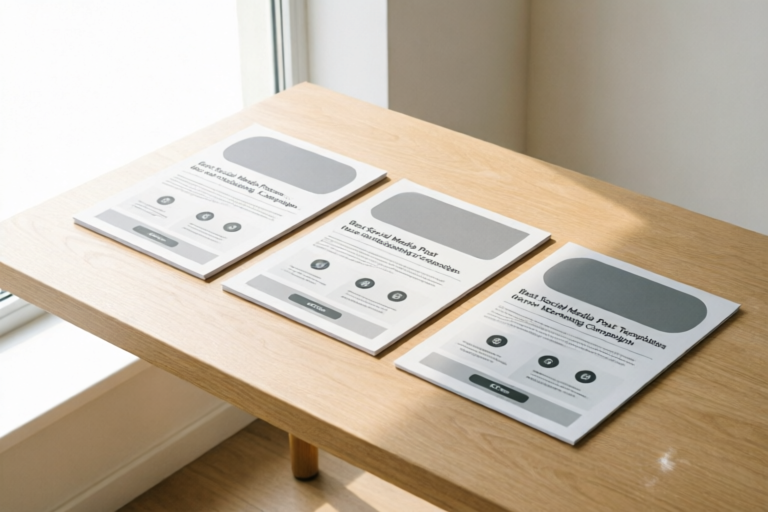
Social Media Templates
Best Social Media Post Templates for Marketing Campaigns
Streamline Your Strategy, Elevate Your Visuals
## Introduction: Why Standardized Templates Boost Campaign Efficiency
In the fast-paced world of digital marketing, time is often the most scarce resource. Marketers find themselves juggling multiple platforms, creating endless content, and meeting tight deadlines simultaneously. The sheer volume of content required to maintain a presence across social media channels can quickly become overwhelming without the right systems in place. This is where the power of standardized social media post templates comes into play. They are not merely design shortcuts; they are strategic assets that form the backbone of an efficient content pipeline.
Using templates offers three primary benefits that directly impact the bottom line. First, they ensure unwavering brand consistency. When every team member uses a pre-approved framework for images, videos, and copy, the brand voice and visual identity remain cohesive regardless of who is posting. This builds trust with the audience, who begin to recognize your content instantly in their feeds. Second, templates save an immense amount of time. Instead of starting from a blank canvas for every single piece of content, you start with a solid foundation and simply customize the details. This reduction in production time allows teams to focus more on strategy and creative direction rather than formatting and layout. Finally, templates help maintain quality during high-volume marketing pushes. During product launches or holiday sales, pressure mounts to publish frequently. Without a template system, quality often slips. With templates, you guarantee that even when posting five times a day, every asset meets professional standards.
For businesses aiming to improve their Return on Investment (ROI) through better marketing workflows, adopting a library of tested, high-converting templates is essential. It transforms content creation from a reactive chore into a proactive, streamlined operation.
## Top Performing Templates Across Major Platforms
Understanding that not all platforms are created equal is crucial when selecting or designing templates. Each social media network has its own algorithm, user behavior patterns, and technical specifications. A template that performs beautifully on LinkedIn might fall flat on TikTok, and vice versa. Therefore, having platform-specific templates optimized for design requirements is key to engagement.
### Instagram Stories and Reels Templates
Instagram remains a visual-first platform where vertical content dominates. For Stories, templates need to accommodate the 9:16 aspect ratio and allow for quick, swipeable navigation. Effective Story templates often utilize high-contrast backgrounds with large, readable text overlays because users view content on mobile devices while scrolling rapidly. Key layouts include question polls, announcement banners, and "Tap Link" calls-to-action bars.
For Reels, the demand is for native, authentic-looking video overlays. Template kits here should provide safe zones for UI elements so that text isn't covered by captions or buttons. Successful Reels templates often feature dynamic text animations that appear in sync with audio beats, capturing attention within the first three seconds. Additionally, including a consistent branding watermark in the corner of all Reel templates ensures attribution as shares increase.
### LinkedIn Posts and Carousel Slides
LinkedIn caters to a B2B audience that values professionalism and authority. Horizontal or square formats (1:1 or 4:5) perform well here, but carousel slides have seen a massive surge in reach recently. Carousel templates are designed to tell a story over multiple swipes. A successful LinkedIn carousel template starts with a bold hook on slide one, breaks down complex ideas into digestible points on slides two through six, and ends with a strong takeaway or lead generation offer on the final slide. Typography for LinkedIn should lean towards clean sans-serif fonts that convey competence. Unlike the colorful chaos of Instagram, LinkedIn templates often benefit from ample white space and corporate color palettes that reinforce industry expertise.
### TikTok Video Assets
TikTok thrives on trends and entertainment. While the aesthetic is often raw, branded templates still play a vital role in establishing recognition among creators and customers. Templates for TikTok should prioritize full-screen vertical video layouts (9:16). Key components include overlay frames for challenges, trending audio waveforms, and text blocks positioned in the upper-middle zone to avoid interference with captions. Effective TikTok templates encourage user-generated content (UGC) by providing easy-to-edit areas where users can insert their own footage while keeping the brand’s core logo and hashtag visible.
## Campaign-Specific Templates for Launches, Sales, and Engagement
Marketing campaigns typically move through distinct stages: Awareness, Consideration, and Conversion. Having pre-made structures tailored to each stage ensures that your messaging evolves logically throughout the campaign lifecycle. You don’t want a discount offer showing up before people know what you are selling, nor do you want a "new product" post appearing after you’ve already started pushing clearance items. Dedicated campaign-specific templates solve this problem.
### Product Announcement and Launch Structures
A launch campaign creates hype. The goal here is scarcity and exclusivity. Templates for product announcements should include countdown timers, sneak peek imagery, and "Notify Me" badges. A common high-performing layout is the "Teaser Slide," which reveals only a portion of the product, followed by a "Feature Spotlight" slide, and finally a "Launch Day" slide with a direct link. By structuring these assets in advance, marketers can schedule a drip campaign that releases these pieces sequentially, maintaining momentum over several days without daily manual editing.
### Discount Offers and Sales Funnels
When the campaign shifts to conversion, urgency becomes the priority. Sales templates must visually communicate value and time constraints. Think of countdown bars at the top of the image, bold price contrasts (original price crossed out next to sale price), and prominent shopping cart icons. A/B testing often shows that simple banner-style templates performing well during Black Friday events outperform complex artistic visuals because they transmit the deal information instantly. Ensure your sales templates have variations for email headers, social feed ads, and story links, all aligned visually but sized appropriately for the medium.
### Community Interaction Queries
Engagement is the fuel that keeps the algorithm alive. To sustain activity between major campaigns, use engagement-focused templates. These include poll stickers, fill-in-the-blank prompts, and "This or That" comparison graphics. For example, a "Feedback Friday" template could ask users to choose between two product features. By providing a reusable graphic frame where the question changes but the visual style remains constant, you create a series that looks intentional rather than random. This fosters a sense of community, as followers come to anticipate the interaction type on specific days.
## Critical Design Elements for High-Converting Social Posts
Regardless of the platform or campaign stage, certain visual components act as universal drivers of performance. Integrating these elements into your templates ensures that every post works harder toward conversion goals. It is about balancing aesthetics with functionality.
### Branding Colors and Identity
Colors evoke emotion and trigger action. Consistent use of brand palette in templates builds subconscious recognition. If your brand green signifies freshness and growth, using it in call-to-action buttons can psychologically prime users to click. However, variety is also important. Within a template library, you can create "Action Variations." Primary templates use standard brand colors, while secondary templates use accent colors for high-priority alerts like flash sales. Avoid clashing hues; always adhere to a maximum of three main colors per design to maintain visual harmony. Furthermore, ensure sufficient contrast between text and background. Accessibility should not be an afterthought, as low-contrast text reduces legibility on mobile screens in bright sunlight or dark mode settings.
### Readable Typography
Typography dictates the hierarchy of information. In social media, you have less than two seconds to grab attention. Large headlines work best for this. Most social templates should rely on a pairing of a bold display font for headlines and a clean, legible body font for supporting text. Avoid decorative script fonts for anything longer than a single word, especially on mobile. Line height and letter spacing matter too; cramped text feels cheap and hard to read. Templates should auto-adjust text size to ensure that the message fits comfortably without cropping. Testing templates across device previews (iPhone vs. Android screen sizes) during the design phase prevents awkward cutoffs during deployment.
### Effective Call-to-Action (CTA) Placements
The purpose of a marketing post is rarely just to inform; it is to prompt a response. Whether that’s a comment, a click, or a share, the CTA must be obvious. Placement matters significantly. In Instagram Stories, the "Link Sticker" should align with the natural thumb-scrolling pattern (lower third of the screen). On static posts, the CTA button or link in bio reference should be placed in the bottom center where eyes naturally rest after scanning the image. Verbal cues in the copy should mirror the visual cue. If there is a big arrow pointing down, the text should say "Scroll Down to Read More." Visual consistency between the graphic and the caption amplifies the directive.
### Image Quality and Composition
Low-resolution images destroy credibility. Templates should set minimum resolution requirements for uploaded assets (usually 1080p width for standard feeds). Composition-wise, the "Rule of Thirds" generally applies. Important text or focal points should not be dead center but offset to intersecting grid lines. Negative space is also a powerful design element. Don’t clutter the template with decorative elements unless they serve a functional purpose. Whitespace gives the eye a place to rest, making the core message pop. Additionally, utilizing native photography (real customers using products) often outperforms stock imagery in modern campaigns because it signals authenticity.
## Recommended Tools to Build, Edit, and Schedule Your Templates
Building and managing a template library requires the right software ecosystem. The goal is to select tools that facilitate collaboration, version control, and ease of use for both designers and non-designers. Here are the top recommendations for marketers looking to streamline this workflow.
### Canva for Teams
Canva is arguably the most popular choice for SMBs and large enterprises alike. Its strength lies in accessibility. Non-designers can access the "Brand Kit" feature, ensuring that anyone can edit a template without violating brand guidelines. The drag-and-drop interface lowers the barrier to entry. You can set up master templates, and then duplicate them for specific posts, knowing the dimensions will be locked correctly. The Pro version allows for background removal and magic resize, which is essential for adapting a single campaign asset into Stories, Feed posts, and Thumbnails efficiently.
### Adobe Express
Adobe Express integrates seamlessly with the Adobe Creative Cloud ecosystem. It is ideal for teams already invested in Adobe Fonts or Stock. It offers robust AI-powered features that suggest layout adjustments automatically. The templates here tend to be slightly more premium in feel compared to Canva. It also provides good motion graphics capabilities for those wanting animated social posts without needing After Effects knowledge. Sharing links with clients or team members for feedback is streamlined within the platform.
### Figma for Collaboration
For larger agencies or highly collaborative internal teams, Figma offers superior structural control. While steeper to learn, Figma allows for component-based design. If you change the logo in one instance, it updates across the entire file. It supports real-time multiplayer editing, making it perfect for brainstorming sessions on campaign strategies. Once the designs are finalized, plugins exist to export assets directly to scheduling tools or cloud storage.
### Scheduling and Automation Integration
Templates are useless if they aren’t published consistently. Tools like Buffer, Hootsuite, and Sprout Social allow you to upload these templates and schedule them weeks or months in advance. Some of these tools integrate directly with design apps. For instance, linking Canva to Meta Business Suite means you can design and publish in one flow. Ensuring your chosen tool integrates with your scheduling stack saves clicks and reduces human error in posting times.
## Conclusion: Taking Action to Improve Your Marketing ROI
In the competitive landscape of digital marketing, standing out requires more than just a great product; it requires a consistent, recognizable, and efficient communication strategy. The adoption of standardized social media post templates is not about limiting creativity; it is about channeling creativity into what matters most: strategy and connection. By implementing the frameworks discussed in this guide, businesses can achieve several critical milestones. First, you reduce the cost of customer acquisition by lowering the time spent on content production. Second, you increase brand equity through visual consistency that customers come to trust. Third, you improve conversion rates by leveraging proven design elements like strategic CTAs and high-quality typography.
To truly capitalize on this advantage, start by auditing your current content production process. Identify the repetitive tasks you perform weekly. Those are the perfect candidates for templating. Select a tool that fits your team's skill level and budget. Create a "Master Library" containing your essentials: brand color palettes, logo files, font pairings, and five to ten core post layouts covering the various campaign stages we discussed. Roll this out to your team with brief training materials explaining how to customize without compromising the design integrity.
Ultimately, a well-maintained template library is an investment in scalability. As your audience grows, your content volume will need to scale as well. Be prepared to iterate. Monitor the analytics of your templates. If a specific color or headline format yields higher engagement, make that the default for future campaigns. By taking decisive action now to streamline your workflows and measure campaign success effectively, you position your brand for sustainable growth in the years to come. Remember, the best social media strategy is the one you can sustain without burning out. Let your templates do the heavy lifting so your team can focus on innovating.
Comments

mark_digital
nice work dude. way easier than starting from scratch every monday morning lol
👍 19👎 0

CreativeCrash
Could use more video frame suggestions for Reels though. Text overlays get lost sometimes.
👍 10👎 0

LaunchPad_Lucy
This came at the perfect time. We're launching a new drop next Tuesday and needed these ASAP.
👍 25👎 0
JoeGrowth
Saved.
👍 3👎 0

SmallBizSally
Game changer for my client accounts. Finally feel consistent across LinkedIn and FB.
👍 22👎 0
SarahDesignz
Quick question - how do you adjust the CTA button color? Tried changing it but it resets.
👍 1👎 0
MarketingMike92
Honestly saved me tons of time yesterday. The IG story layout is exactly what our brand needed.
👍 0👎 0