Message & Chat Templates
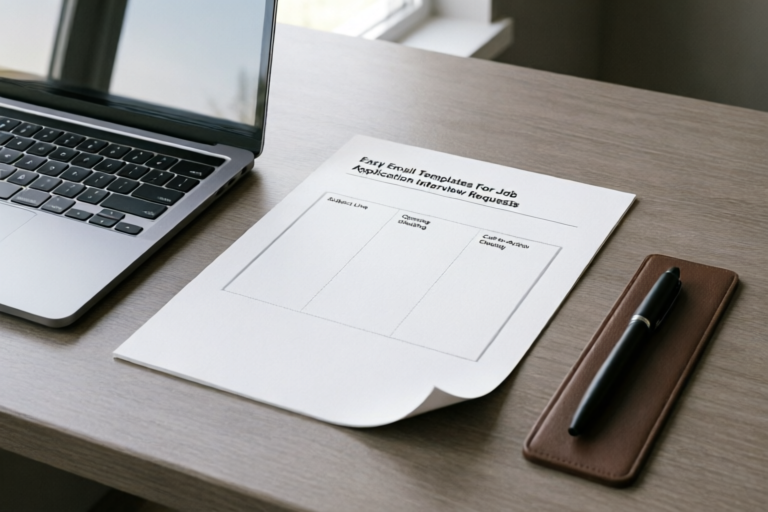
Easy Email Templates For Job Application Interview Requests
Your Voice, Your Opportunity, Perfectly Crafted
## Introduction to the Importance of Interview Emails
In the highly competitive landscape of modern job hunting, your written correspondence serves as more than just a vehicle for information—it is your first tangible demonstration of professional competence. When you submit a resume, you are technically entering a pool of applicants who may possess similar qualifications. What sets you apart is often the narrative you build around your candidacy, starting with the cover letter and extending through the critical stage of email communication.
Many candidates underestimate the power of a strategic email. You might have a stellar resume filled with quantifiable achievements, yet a poorly structured email requesting an interview can undermine that hard work. Recruiters and hiring managers receive hundreds of emails daily. They are trained to scan quickly, looking for clarity, professionalism, and relevance. A well-crafted email signals that you respect their time and understand the nuances of business communication.
Professional emails create a strong first impression, even before a face-to-face meeting occurs. According to various recruitment surveys, the majority of hiring managers form an opinion about a candidate's potential fit within seconds of reading the initial contact. This means that clarity in your subject line, appropriate tone in your salutation, and specific calls to action are not optional niceties; they are essential components of your candidacy strategy. Furthermore, following up correctly increases the likelihood of receiving a callback. It demonstrates persistence without being annoying, showing that you are genuinely interested in the role rather than just casting a wide net. By mastering these email interactions, you significantly increase your probability of progressing from the applicant pool to the interview room.
## Core Elements of a Winning Email Structure
To write an effective email, you must understand the anatomy of a successful business message. A winning email structure is deceptively simple but requires attention to detail in every section. Deviating from the norm can signal a lack of preparation or poor judgment. Below are the key sections required for success in professional correspondence regarding job applications and interviews.
### Clear Subject Lines
The subject line is the gatekeeper of your email. If this is vague or confusing, the recipient may never open it. A good subject line should be concise, descriptive, and actionable. Avoid using generic phrases like "Hello" or "Question." Instead, include specific details that immediately identify the purpose of your message.
For initial applications, use formats like: "Application for [Job Title] - [Your Name]." For follow-ups, try: "Follow-Up on [Job Title] Application - [Your Name]." Including the job title helps the recruiter categorize your email instantly, especially if they are hiring for multiple positions. This small detail saves them time and increases the chance your email gets flagged for immediate review.
### Proper Salutations
Addressing the recipient correctly shows respect and research skills. Always aim to find the specific name of the hiring manager or recruiter. LinkedIn profiles and company websites are excellent resources for this. If you cannot find a specific name, use a professional general greeting such as "Dear Hiring Manager" or "Dear Recruitment Team." Avoid overly casual greetings like "Hey," which can suggest you do not understand workplace hierarchy. Also, note the gender preferences of the recipient to ensure accuracy in titles (e.g., Dr., Prof.) if applicable.
### Specific Calls to Action (CTA)
One of the most common mistakes in job-seeking emails is leaving the next steps ambiguous. Every email should have a clear call to action. Are you asking for a phone call? Do you want to schedule a specific time for a meeting? Or are you simply checking on the status of your submission?
Make the CTA polite but direct. For example, instead of saying "I hope to hear from you soon," say "I am available for a brief discussion at your earliest convenience" or "May I expect an update by Friday?" This removes ambiguity and helps the recruiter move forward in the process knowing exactly what you are asking for.
### Professional Sign-Offs and Signatures
Your closing should mirror the professionalism of the opening. Standard closings include "Sincerely," "Best regards," or "Kind regards," followed by your full legal name. Additionally, your digital signature should be robust. It shouldn't just be a name; it should include your phone number, a link to your professional portfolio or LinkedIn profile, and potentially a location indicator. This creates a cohesive personal brand image and ensures the recruiter has all necessary contact information without needing to search elsewhere.
## Sample Template: Initial Inquiry After Submission
Once you have submitted a job application, there is often a waiting period where silence prevails. Sending an initial inquiry shortly after submission can help keep your application top-of-mind without appearing intrusive. This step is particularly useful if you have found a specific referral or if the job posting indicated that communication was welcome.
### Guidance on Crafting the Message
This template should be concise. Recruiters appreciate brevity. Focus on two things: confirmation of your intent and reiterating why you are a strong fit. Do not attach your resume again if it was already uploaded, but mention it explicitly so they know where to find it. Keep the tone enthusiastic but grounded. Here is a robust example tailored for this scenario.
**Subject Line:** Follow-Up: Application for [Job Title] - [Your Full Name]
**Body Text:**
Dear [Hiring Manager's Last Name],
I hope this email finds you well.
I recently submitted my application for the [Job Title] position at [Company Name] via [Platform where applied, e.g., your careers page/LinkedIn]. I wanted to briefly express my continued enthusiasm for this opportunity and reiterate how my background in [Key Skill Area] aligns with the goals of your team.
I have been following [Company Name]'s recent work in [Specific Project or Achievement] and believe my experience in [Related Experience] would allow me to contribute meaningfully to future initiatives. Attached for your convenience is a copy of my resume for quick reference.
I understand that your review process takes time, but please let me know if there is any additional information I can provide to support my application. Thank you for your time and consideration.
Sincerely,
[Your Full Name]
[Your Phone Number]
[Link to LinkedIn Profile]
**Why this works:** It acknowledges the timeline, provides context for the follow-up, reinforces value, and remains polite. It does not demand an immediate answer but leaves the door open for further engagement.
## Sample Template: Following Up on No Response
After submitting an application or sending an initial inquiry, waiting weeks without news is common. While patience is virtuous, proactive follow-up distinguishes active candidates from passive ones. The challenge here is balancing politeness with assertiveness. You do not want to appear desperate, yet you need to show genuine interest.
### Outlining a Polite Approach
Timing is everything. Typically, wait 5 to 7 business days after your initial submission or inquiry before sending this follow-up. The tone should be gentle and helpful. Avoid accusatory language like "I haven't heard back." Instead, frame it as seeking clarity on the status of the pipeline. This template focuses on offering assistance and reminding them of your unique value proposition subtly.
**Subject Line:** Checking Status: [Job Title] Application - [Your Full Name]
**Body Text:**
Dear [Hiring Manager's Last Name],
I hope you are having a productive week.
I am writing to respectfully inquire about the status of my application for the [Job Title] position, which I submitted on [Date of Application]. I remain very interested in joining [Company Name] and contributing to your team, particularly given your focus on [Specific Company Goal or Value].
If there are any updates regarding the selection process, I would greatly appreciate the chance to discuss them. Alternatively, if additional references or materials are needed from my end, please let me know. I am happy to accommodate whatever timeline works best for you.
Thank you again for your consideration and effort in reviewing applications.
Best regards,
[Your Full Name]
[Your Phone Number]
[Link to Portfolio or Website]
**Why this works:** It avoids pressuring the recruiter directly but clearly asks for a status update. Offering to provide additional material shifts the conversation from "waiting" to "helping," which creates a collaborative dynamic. It also reminds them of the date, which acts as a soft memory jogger.
## Sample Template: Confirming Interview Availability
Receiving an interview invitation is a major milestone. This email serves to confirm the logistics, show reliability, and set a professional tone for the meeting ahead. Whether you are accepting a proposal or negotiating a different time, precision is key. Ambiguity here can lead to missed connections or scheduling conflicts, which reflects poorly on organizational skills.
### Showing How to Professionally Accept or Negotiate
When accepting, be decisive and grateful. Confirm the time zone and the method of the meeting (Zoom, Teams, In-person). If you cannot make the proposed time, you must negotiate politely. Apologize for the inconvenience, propose specific alternative times (giving options shows flexibility), and reiterate enthusiasm. Never leave them guessing about your availability.
#### Scenario A: Accepting the Invitation
**Subject Line:** Interview Confirmation: [Your Name] - [Job Title]
**Body Text:**
Dear [Recruiter's Name],
Thank you very much for inviting me to interview for the [Job Title] position at [Company Name]. I am delighted to accept the invitation and am very excited to learn more about the team and the role.
I confirm my availability for the scheduled slot:
Date: [Date]
Time: [Time including Time Zone]
Format: [Video Conference Link / Office Address]
Please let me know if there are any preparatory steps I should take prior to our meeting, such as reviewing specific project materials or bringing physical copies of my portfolio.
Looking forward to speaking with you soon.
Best regards,
[Your Full Name]
[Your Phone Number]
#### Scenario B: Requesting a Reschedule
**Subject Line:** Rescheduling Request: Interview for [Job Title] - [Your Full Name]
**Body Text:**
Dear [Recruiter's Name],
Thank you for the invitation to interview for the [Job Title] position. I am very interested in discussing my qualifications with you.
Unfortunately, due to a prior commitment that cannot be moved, I am unable to attend the meeting at the proposed time on [Original Date and Time]. I apologize for any inconvenience this may cause.
Would it be possible to reschedule for one of the following times?
1. [Day, Date] between [Time Range]
2. [Day, Date] between [Time Range]
3. [Day, Date] anytime after [Time]
If none of these options work, please let me know what availability you have in the coming week, and I will do my best to accommodate. Thank you for your flexibility and understanding.
Sincerely,
[Your Full Name]
[Your Phone Number]
**Why this works:** Scenario A builds confidence by confirming details clearly. Scenario B demonstrates problem-solving skills by offering concrete alternatives rather than a blank slate of "anytime," which forces the other person to do more work to solve it.
## Best Practices and Final Pre-Send Checklist
Before you hit that "Send" button, you must conduct a rigorous review. In the realm of professional communication, perfection matters. A typo in an email about job applications is magnified because it suggests a lack of attention to detail. Below are the final tips to ensure your emails are flawless.
### Proofreading and Error Checking
Never trust spellcheck alone. Run your email through grammar tools like Grammarly or Hemingway to catch nuanced errors. Read the email aloud; hearing the rhythm of the sentences often reveals awkward phrasing that the eye misses. Pay special attention to the names of the hiring manager and the company. Misspelling a name is a cardinal sin in networking and interview emails. It signals a lack of care.
### Ensuring Attachments are Correct
It seems obvious, but it happens constantly: candidates promise attachments and forget to include them, or worse, attach the wrong version of their resume. Before sending, verify that the filename is professional (e.g., `John_Doe_Resume.pdf` rather than `resume_final_v2_draft.pdf`). Ensure the attachment is opened successfully on another device or tab to confirm it is viewable and not corrupted. PDF is generally preferred over Word documents to preserve formatting across different devices.
### Adjusting Tone and Professionalism
Tone varies by industry. A tech startup might appreciate a slightly more casual and energetic tone, whereas a law firm or banking sector expects strict formalities. Review your language to ensure it matches the company culture. Remove slang, excessive emojis, and humor unless you are absolutely certain it fits the context. Remember, you are selling a product: yourself. That product needs to be polished and reliable.
### Mobile Optimization Check
More than half of all emails are opened on mobile devices. Open your draft on your phone or use an email preview tool to see how it looks on a smaller screen. Long paragraphs should be broken into shorter chunks. Avoid complex tables or heavy images that might not load. Ensure the spacing allows for easy reading on a handheld device.
### Common Mistakes to Avoid
1. **Generic Copy-Paste Errors:** Always double-check that you have removed previous company names if you are using a master template.
2. **Over-apologizing:** It is okay to be human, but do not apologize excessively for applying or taking up space in someone's inbox. Confidence attracts opportunity.
3. **Using Free Domains:** While Gmail is acceptable, using a custom domain email for high-level professionals can add a layer of sophistication. At the very least, ensure the email address itself is professional ([email protected]).
4. **Sending Too Soon:** Avoid sending emails late at night or on weekends unless it is urgent. Business hours convey respect for work-life boundaries.
## Conclusion
Navigating the job application process requires more than just a great resume; it demands strategic communication. By utilizing these easy email templates and adhering to the best practices outlined above, you empower yourself to communicate with authority and clarity. Remember that every interaction, whether it is an initial inquiry, a follow-up, or an interview confirmation, is a step toward building your professional brand.
These emails are designed to streamline your efforts so you can focus on preparing for the interview itself. Consistency in your communication style builds a reputation for reliability before you even step foot in the office. As you refine your approach and tweak these templates to suit your voice, you will notice improvements in your engagement rates with recruiters.
Take control of your career trajectory. Use these tools to bridge the gap between talent and opportunity. With professional, thoughtful, and timely communication, you increase the likelihood of turning a simple application into a career-defining opportunity. Good luck with your search.
## Frequently Asked Questions (FAQ)
### Is it better to send an email or use LinkedIn Messenger?
Email is generally preferred for official applications as it is more formal and allows for document attachments. LinkedIn is excellent for networking or informal inquiries, but always stick to email for HR communication.
### How often should I follow up?
Wait at least one week between follow-ups. Constantly emailing every day is considered harassment. Space out your communications to maintain professionalism.
### Can I use AI tools to write my emails?
AI can be a powerful assistant for brainstorming or polishing text, but you must always edit the output to sound human. Personal touch and specific details are hard for AI to replicate perfectly.
By keeping these guidelines in mind, you transform your email from a transactional obligation into a strategic asset. Happy interviewing!
Comments

DetailFirst
lol caught myself almost sending without proofreading because i had this open in another tab. great reminder in step 6
👍 21👎 0

GlobalApplicant
as someone whos first language isnt english, these templates saved me so much anxiety. thank you!
👍 14👎 0
HR_Vet
maybe include a version that asks about next steps instead of just confirming time? helps keep momentum
👍 21👎 0

WaitingGame
saved this link immediately. need it soon for my upcoming apps
👍 22👎 0

DesignGuru
is there a way to tweak the tone for creative roles? feels a bit too corporate for my case
👍 15👎 0
CareerClimber22
honestly worked wonders. got a callback within 24 hrs using the follow-up section tbh
👍 6👎 0