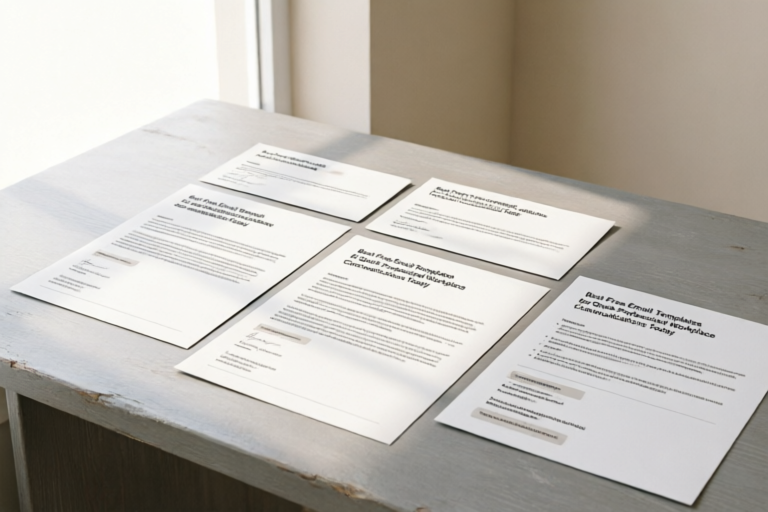
Best Free Email Templates for Quick Professional Workplace Communications Today
Master Your Inbox, Elevate Your Workflow
1. Introduction: The Value of Standardized Professional Emails
In the fast-paced ecosystem of modern business, time is the most non-renewable resource we possess. Every morning, professionals across the globe open their email clients to face an onslaught of messages, ranging from urgent project queries to casual greetings. Amidst this digital noise, finding the balance between responsiveness and professionalism can be daunting. This is where standardized professional email templates step in as unsung heroes of workplace productivity.
The necessity of maintaining a consistent brand voice while saving time on drafting frequent messages cannot be overstated. When every employee knows exactly how to structure a client inquiry or a project update, the organization projects an image of reliability and competence. Consistency reduces cognitive load; rather than agonizing over grammar or tone for a routine message, staff members can focus on the core substance of their work. Furthermore, templates serve as a safeguard against miscommunication. In cross-departmental collaboration, misunderstandings often stem from vague phrasing. Standardized templates ensure that essential information—such as deadlines, deliverables, and next steps—is never omitted.
Moreover, the psychological aspect of email composition plays a significant role in stress reduction. The fear of writing \"the wrong email\" creates a barrier to entry for many employees, leading to procrastination. By having a library of pre-approved, well-crafted templates, teams empower themselves to communicate confidently. Whether it is a quick acknowledgment of receipt or a formal proposal submission, having the right words at your fingertips transforms email management from a chore into a streamlined process. In this comprehensive guide, we will explore the top picks for routine correspondence, tackle complex scenarios with sensitivity, and identify reliable sources to download trusted kits, ultimately helping you boost workplace efficiency today.
2. Top Picks for Routine Business Correspondence
The foundation of efficient communication lies in the daily interactions that keep the wheels of industry turning. Most of the emails sent within an organization fall into predictable categories. By mastering these common formats, you reclaim hours of wasted time every week.
Greetings and Introductions
The first impression matters profoundly, especially in B2B relationships or when welcoming new stakeholders. A generic \"Hello\" is functional but lacks warmth. A well-structured introduction template sets the tone for future engagement.
- Key Elements: Personal name, company affiliation, purpose of contact, clear call-to-action (CTA).
- Example Structure: \"Dear [Name], I am [My Name] from [Company]. I’ve been following your work in [Industry]...\"
This approach humanizes the interaction immediately, making the recipient feel valued rather than processed. It also subtly reinforces the sender's brand expertise without sounding boastful.
Meeting Scheduling and Confirmations
Nothing disrupts workflow faster than endless back-and-forth emails trying to find a suitable time for a meeting. An effective scheduling email minimizes friction by offering clear options while remaining flexible.
A robust template should include:
- The specific purpose of the meeting (agenda).
- Priorities for the discussion.
- Suggested time slots (ideally three).
- A link to a calendar invite or booking tool.
- An explicit request for alternative times if none work.
This reduces the likelihood of missed appointments and ensures that once the meeting is booked, both parties have aligned expectations regarding its duration and goal.
Thank-You Notes and Appreciation
Gratitude is often overlooked in the corporate sphere, yet sending timely thank-you notes builds stronger relational capital. These templates are crucial for post-interview follow-ups, after receiving assistance, or closing a deal.
Effective appreciation emails avoid generic phrases like \"Thanks for your help.\" Instead, they specify *what* was appreciated and *how* it impacted the team. \"Your insight during yesterday’s session helped us refine the Q3 roadmap significantly\" is far more powerful. This specificity validates the recipient's contribution and encourages continued support.
Status Update Reports
Managers and stakeholders crave visibility. A weekly status report template eliminates the guesswork. It typically covers:\n- Progress made this week.\n- Goals for next week.\n- Blockers or risks requiring attention.\nThis format turns a potentially long-winded email into a concise executive summary, respecting the reader's time while keeping them informed.
3. Templates for Complex and Sensitive Work Situations
Routine emails are straightforward, but the real test of professionalism occurs during challenging times. How you handle a project delay, deliver negative feedback, or resign from a position reflects deeply on your character and leadership capability. In these scenarios, a template provides a structural skeleton upon which you can build emotional intelligence.
Handling Project Delays
Nobody likes delivering bad news, but hiding the truth is worse. When a deadline is at risk, immediate transparency is key. The objective here is accountability and solution-oriented thinking.
A good delay notification template focuses on three things:\n1. Acknowledge the issue clearly without excessive jargon.
2. Explain the cause briefly (avoid victim blaming or making excuses).
3. Present a revised timeline and mitigation strategy.
Example phraseology: \"While we initially targeted Friday, unexpected data validation errors require an additional two days. We have allocated extra resources to ensure quality isn’t compromised. Here is the new delivery date.\" This reassures the client that the delay is managed, not ignored.
Constructive Feedback
Discussing performance issues is uncomfortable. Poorly crafted feedback can damage morale and trigger defensiveness. A structured template helps frame the conversation objectively.
The framework often used is the \"SBI Model\" (Situation, Behavior, Impact).
Situation: \"During Tuesday’s team meeting...\"
Behavior: \"...you interrupted the client twice...\"
Impact: \"...this disrupted the flow of negotiation.\"
The template then moves toward coaching: \"For the next meeting, let’s practice active listening techniques.\" This shifts the focus from personal criticism to behavioral improvement, preserving the working relationship.
Formal Resignations
Leaving a job professionally is paramount. A resignation letter template serves to document the departure formally while leaving the door open for positive future references. It should state the intent to resign, the last day of employment, and a brief offer to assist with the transition.
It is crucial to avoid venting grievances in this channel. The resignation email becomes part of permanent records. Therefore, the tone should be gracious, focusing on gratitude for opportunities gained. Example: \"I have decided to pursue a new opportunity that aligns with my long-term career goals. I want to thank you for your mentorship during my tenure.\" This maintains a bridge for networking later.
Conflict Resolution Requests
Sometimes, emails lead to friction. When de-escalating tension via email, it is vital to move away from accusatory language. A mediation template uses \"I\" statements instead of \"You\" statements. \"I felt concerned when...\" vs. \"You failed to...\". The template guides the sender to propose a private conversation to resolve the misunderstanding offline, preventing public arguments.
4. Where to Download Trusted Free Email Template Kits
Once you understand what kind of templates you need, the question arises: Where can you find them without compromising on quality or security? While there are thousands of generic templates online, reliability and editability vary greatly.
HubSpot Email Templates
HubSpot is a leader in CRM software, and their repository of free email templates is particularly strong for sales and marketing outreach. Their templates are designed with conversion in mind, featuring clean layouts and clear CTAs. They offer a mix of HTML designs that work seamlessly with major email clients. Many of these templates are editable within their own platform, but the code structure can often be adapted for other systems. The benefit of HubSpot is the alignment with sales funnels, ensuring your text drives action.
Mailchimp Design Resources
Originally focused on newsletters, Mailchimp offers a vast array of visually appealing templates that have found utility in internal business communications. Their drag-and-drop editor allows for easy customization even for those with limited design skills. While optimized for external marketing, their structure can be repurposed for welcome kits, company announcements, or client newsletters. Users should be mindful of copyright images, opting for stock alternatives provided in their free tier if required.
Official Platform Libraries (Google Workspace & Microsoft 365)
Often overlooked are the built-in template features within your existing email provider. Google Workspace and Microsoft Outlook include signature generators and canned responses. While less flashy than third-party designs, these are fully integrated and secure. Organizations can create a centralized repository of signatures and standard responses within their admin console, ensuring compliance and branding guidelines are met automatically. This is the most secure option for enterprises concerned about data privacy.
Specialized Productivity Sites
Websites like Canva and Notion increasingly feature community-driven templates. Canva excels in visual presentation emails where graphics are necessary, such as annual reports or holiday cards. Notion offers database-style templates for tracking project comms. When using third-party libraries, always verify the terms of use. Some free templates may include attribution requirements or limit commercial usage, so reading the fine print is essential.
5. Conclusion: Boosting Workplace Efficiency Today
In conclusion, the adoption of standardized email templates is not merely a convenience; it is a strategic imperative for modern organizations. By implementing these resources, teams can streamline communication workflows, reduce anxiety surrounding digital correspondence, and improve overall productivity immediately.
Consider the cumulative effect of time savings. If one employee saves ten minutes a day by not typing a standard greeting or scheduling note, that amounts to five days of work saved per year. Multiplied across an entire team, this translates to thousands of hours redirected toward revenue-generating activities. Furthermore, the consistency in tone enhances brand equity, making the organization appear cohesive regardless of who signs the email.
To get started, audit your current email habits. Identify the top three recurring messages you send daily. Locate or draft a template for each. Share these with your department and designate a point person to maintain the library, updating them as processes evolve. Investing in better communication tools today lays the groundwork for a more resilient, efficient, and harmonious workplace tomorrow.
Your inbox is waiting to be organized. Choose a template, customize it to fit your voice, and experience the relief of sending professional emails with confidence. Boost your efficiency today—one well-worded message at a time.
Comments

bookmarked. gonna share with my team tomorrow

can we get a version for cold outreach? this feels too internal
used the meeting scheduler template yesterday. client replied instantly 😅

simple but effective. wish there were more options for HR though

the resignation one is super helpful. changed 'leaving' to 'transitioning' to sound nicer

does anyone know how to make the subject line dynamic in google docs? i keep messing that up

honestly saved me an hour this morning drafting client updates. thanks for sharing!