Document Templates
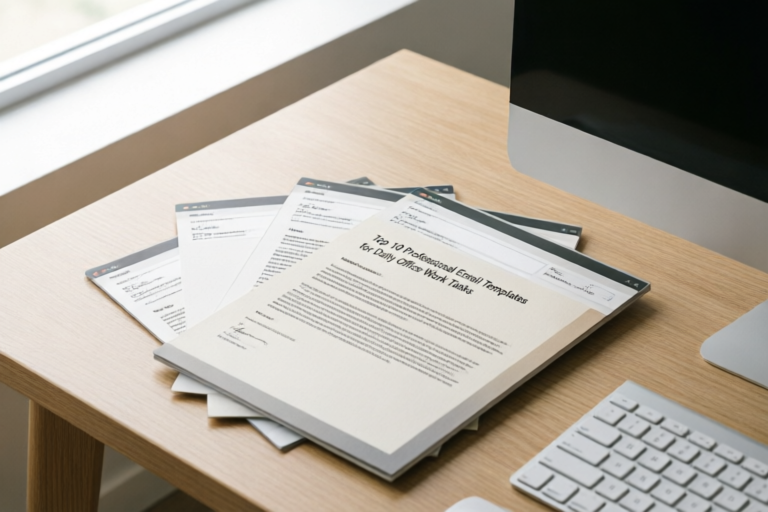
Top 10 Professional Email Templates for Daily Office Work Tasks
Elevate Your Workflow, One Email at a Time
### Top 10 Professional Email Templates for Daily Office Work Tasks
In the modern corporate landscape, communication is the currency of productivity. Yet, despite the abundance of instant messaging platforms and collaboration tools, email remains the cornerstone of formal business interaction. Whether you are managing a cross-functional team, liaising with external clients, or navigating internal HR protocols, the quality of your written correspondence directly impacts your professional reputation. Writing unique emails for every scenario is unsustainable; it leads to burnout, inconsistent messaging, and lost opportunities.
This guide presents the ultimate resource for professionals: Top 10 Professional Email Templates for Daily Office Work Tasks. By leveraging pre-drafted, customizable structures, you can save valuable time, reduce the cognitive load of daily decision-making, and ensure that every message sent reflects a high standard of professionalism. We will explore essential drafts across administrative operations, client engagement, and conflict resolution, offering not just the text, but the strategic context required to make these templates truly effective.
## Introduction: Enhancing Professionalism and Efficiency
Before diving into the specific templates, it is crucial to understand why standardizing your email communication is a strategic necessity. In a fast-paced office environment, efficiency often dictates success. When employees spend hours crafting individual responses to recurring requests, resources are drained from high-value tasks. Email templates address this bottleneck by providing a scaffold upon which you can build personalized messages quickly.
Furthermore, brand consistency extends beyond marketing collateral. Every email sent by an employee represents the company’s voice. Inconsistent tones, varying levels of formality, and disjointed formatting can erode trust among stakeholders and clients. By adopting a standardized set of templates, you ensure that your organization projects a cohesive image regardless of who is sending the message.
Stress reduction is another critical benefit. Many professionals suffer from “reply anxiety,” the paralysis of staring at a blinking cursor when faced with complex communication scenarios. Having a reliable template provides immediate relief, allowing the sender to focus on the substance of the content rather than the structure of the sentence. This psychological benefit cannot be overstated; it contributes to better mental health and higher job satisfaction.
Finally, these templates serve as a reference library for professional growth. Junior employees can learn appropriate phrasing and etiquette by observing senior-level templates. As we move forward, remember that while these tools are powerful, they must remain living documents. They should be updated regularly to reflect changing organizational goals, shifting cultural norms, and evolving technological standards.
## Core Templates for Daily Administrative Operations
The backbone of any busy office lies in its daily administrative rhythms. From coordinating calendars to requesting leave, these communications happen frequently. Precision and clarity are non-negotiable here to prevent logistical errors.
### Template 1: Requesting Meeting Times Efficiently
Scheduling meetings is a universal chore. Poorly coordinated scheduling leads to back-and-forth chains that waste everyone’s time. This template focuses on reducing friction by offering options upfront.
**Subject Options:**
* Meeting Request: [Topic] Discussion
* Availability Check for [Project Name]
**Body Draft:**
> Dear [Recipient Name],
>
> I hope this email finds you well. I am writing to request a brief meeting to discuss [Specific Agenda Item]. It would be helpful to align on [Key Objective] before the next deadline.
>
> To accommodate your schedule, please let me know if any of the following times work for you:
> * [Date] at [Time Zone] AM/PM
> * [Date] at [Time Zone] AM/PM
> * [Date] at [Time Zone] AM/PM
>
> If none of these work, please feel free to share your availability, or suggest a calendar link where I can find an open slot. Once confirmed, I will send a calendar invitation with the necessary agenda details.
>
> Best regards,
> [Your Name]
**Strategic Context:** Notice the template includes multiple options and offers flexibility. It also specifies the purpose immediately, preventing the recipient from asking “what is this about?” which delays the process.
### Template 2: Submitting Weekly Status Reports
Consistency in reporting keeps managers informed and projects on track. A good status report template minimizes ambiguity regarding progress and blockers.
**Subject Options:**
* Weekly Status Report: [Your Name] | [Week Starting Date]
* Project Update: [Project Code/Name]
**Body Draft:**
> Hi [Manager’s Name],
>
> Please find below the weekly status report for the period [Date Range].
>
> **Key Accomplishments:**
> 1. [Completed Task A]
> 2. [Completed Task B]
>
> **Current Focus:**
> * Working on [Pending Task C]
>
> **Blockers/Risks:**
> * [Describe issue and propose solution]
>
> **Next Week’s Priorities:**
> * [Goal 1]
> * [Goal 2]
>
> Please let me know if you require further details on any of these items. You can reach me directly via phone or Slack for urgent queries.
>
> Regards,
> [Your Name]
**Strategic Context:** Bullet points are essential here for readability. Explicitly listing blockers helps leadership intervene early, demonstrating proactivity rather than hiding problems until they become crises.
### Template 3: Notifying Colleagues About Vacation Leave
Leaving for time off requires notifying the team to ensure coverage and manage expectations regarding response times. Clarity on return dates prevents frustration during your absence.
**Subject Options:**
* Out of Office: [Your Name] - [Dates]
* Planned Absence Notification
**Body Draft:**
> Hello Team,
>
> I will be out of the office starting [Start Date] returning on [Return Date]. During this period, I will have limited access to email.
>
> For urgent matters regarding [Project/Role], please contact [Colleague’s Name] at [Email/Phone]. For all other inquiries, I will respond to them upon my return.
>
> Thank you for your understanding.
>
> Best,
> [Your Name]
**Strategic Context:** Defining who covers what specific responsibility removes ambiguity. It ensures that work continues flowing smoothly even when a key member is unavailable, protecting both the employee’s relaxation and the company’s workflow.
## Key Templates for Client Interaction and Networking
External communication requires a different tonal palette. It balances professionalism with warmth to foster relationships. These templates help navigate the delicate dynamics of sales, service, and networking.
### Template 4: Responding to New Business Inquiries
First impressions matter. When a potential client reaches out, speed and clarity indicate competence. This template acknowledges their interest while guiding them toward the next step without being pushy.
**Subject Options:**
* Re: Inquiry regarding [Service/Product]
* Next Steps for Your Proposal Request
**Body Draft:**
> Dear [Client Name],
>
> Thank you for reaching out to us regarding [Specific Service/Product]. We appreciate your interest in partnering with [Company Name].
>
> Based on your initial query, we believe our [Solution Name] could significantly assist with [Client Pain Point]. To better understand your specific needs and tailor a proposal, could you spare 15 minutes for a brief call next week?
>
> Please let me know if Tuesday or Thursday works best for you. Alternatively, you may book a slot directly on my calendar here: [Link].
>
> Warm regards,
> [Your Name]
**Strategic Context:** This template uses social proof implicitly by mentioning tailored solutions. It moves the conversation offline (call/meeting) quickly because closed deals rarely happen via email thread alone.
### Template 5: Following Up on Pending Projects
Sometimes silence occurs due to oversight, not disinterest. A polite nudge keeps projects alive without sounding desperate or aggressive.
**Subject Options:**
* Gentle Follow-Up: [Project Name]
* Checking In: Timeline for [Deliverable]
**Body Draft:**
> Hi [Client Name],
>
> I hope you are having a productive week. I am writing to gently check in on the status of [Project/Deliverable].
>
> We are keen to proceed with the next phase but want to ensure we haven’t missed anything on your end. Is there any additional information or approval required from your side to keep the timeline moving?
>
> We are happy to assist if you have questions. Looking forward to hearing from you soon.
>
> Best,
> [Your Name]
**Strategic Context:** The phrase "keeps the timeline moving" frames the follow-up as beneficial to the client (efficiency) rather than demanding accountability from them (pressure).
### Template 6: Sending Professional Thank-You Notes
Gratitude is often overlooked in business. Sending a thank-you note after a meeting or interview sets you apart as thoughtful and appreciative, reinforcing professional bonds.
**Subject Options:**
* Thank You: Meeting Regarding [Topic]
* Appreciation for Your Time
**Body Draft:**
> Dear [Name],
>
> Thank you so much for taking the time to speak with me earlier today. I truly enjoyed discussing [Specific Topic Mentioned] and learning more about [Their Perspective/Company Goal].
>
> The insights you shared regarding [Detail] were particularly valuable. As discussed, I have attached the [Document/Promo] mentioned. Please do not hesitate to reach out if you need further clarification.
>
> Thanks again for your mentorship/support/time.
>
> Sincerely,
> [Your Name]
**Strategic Context:** Referencing specific details proves active listening. Generic thanks are forgettable; specific acknowledgments show genuine engagement and attention to detail.
### Template 7: Internal Team Announcement (Bonus)
To round out the top 10, internal announcements bridge the gap between department silos. Keeping the whole team aligned is vital for morale and operational speed.
**Subject Options:**
* Important Update: [Topic] Effective [Date]
* News from Leadership: [Update Summary]
**Body Draft:**
> Hello Everyone,
>
> I am writing to share an important update regarding [Topic/Area]. Starting [Date], we will be implementing [Change/Process].
>
> This change is designed to improve [Benefit]. Please refer to the attached guide for instructions. If you have concerns, please attend the town hall session scheduled for [Time].
>
> Thank you for your cooperation as we evolve.
>
> Regards,
> [Management Team]
**Strategic Context:** Transparency reduces rumors. Clearly stating the “why” behind changes increases compliance and reduces resistance among staff.
## Crucial Templates for Feedback and Conflict Resolution
Perhaps the most difficult emails to write involve tension. Whether addressing underperformance, delays, or mistakes, the goal is resolution, not confrontation. These templates utilize neutral language to de-escalate while maintaining accountability.
### Template 8: Delivering Constructive Performance Feedback
Negative feedback is necessary for growth but risky. Framing it around behavior and impact rather than personality traits protects the employee’s dignity.
**Subject Options:**
* Discussion Regarding [Project Name]
* Performance Check-In: [Date]
**Body Draft:**
> Dear [Employee Name],
>
> I would like to schedule a brief meeting to discuss your recent performance regarding [Specific Area].
>
> My observation is that [Behavior/Observation] has affected [Outcome/Project Goal]. Our goal is to ensure you are fully supported in your role. Therefore, I would like to review your progress and identify any obstacles you are facing together.
>
> Let’s meet on [Day/Time] to brainstorm strategies for improvement.
>
> Regards,
> [Manager’s Name]
**Strategic Context:** Asking for a meeting allows for nuanced conversation, which is sensitive for this topic. Written documentation serves as a record, but the conversation requires empathy.
### Template 9: Addressing Project Delays Transparently
Bad news travels fastest when told early. Hiding delays damages credibility. This template admits fault briefly and pivots immediately to the solution.
**Subject Options:**
* Project Timeline Update: [Deliverable Name]
* Urgent: Schedule Adjustment Required
**Body Draft:**
> Dear [Stakeholder Name],
>
> I am writing to inform you that we anticipate a slight delay in the delivery of [Deliverable]. Originally planned for [Date], the new target date is [New Date].
>
> This adjustment is due to [Reason: e.g., technical complexity/vendor holdup]. While we strive to meet the original date, prioritizing quality is our current mandate.
>
> We are implementing [Mitigation Plan] to minimize future impact. Thank you for your understanding and patience.
>
> Best,
> [Your Name]
**Strategic Context:** Admitting the reason builds trust in honesty. Proposing mitigation plans shows control over the situation, reassuring the stakeholder that you aren’t simply dropping the ball.
### Template 10: Polite Apologies for Mistakes
Everyone makes mistakes. How you own them defines your professionalism. An apology must be direct, devoid of defensive excuses, and focused on remediation.
**Subject Options:**
* Regarding the Error in [Task/Order]
* Correction Needed: [Error Description]
**Body Draft:**
> Dear [Client Name],
>
> Please accept my sincere apologies for the error regarding [Issue]. We take full responsibility for this oversight.
>
> We have already corrected the issue [Explain fix]. To compensate for the inconvenience caused, we will [Compensation/Gesture].
>
> We are reviewing our internal processes to ensure this does not recur. Thank you for bringing this to our attention, and I appreciate your continued partnership.
>
> Sincerely,
> [Your Name]
**Strategic Context:** Avoid using “if I offended you” or “based on what you said.” Instead, own the mistake unequivocally and offer restitution. This restores confidence faster than arguing about who was right.
## Conclusion: Best Practices for Implementation
As we conclude our exploration of the top 10 professional email templates for daily office work tasks, it is important to remember that templates are tools, not crutches. Their effectiveness relies heavily on proper implementation and consistent refinement. To maximize the value of these resources, consider the following best practices.
First, **personalize relentlessly**. Never send a template without adjusting the salutation, specific details, and context. Robotic-sounding emails create distance and suspicion. Even a small modification, such as referencing a previous conversation or acknowledging a personal event, humanizes the exchange.
Second, **audit your library regularly**. Company policies change, software evolves, and market trends shift. What worked two years ago regarding remote work or privacy laws might now be outdated or non-compliant. Set a quarterly reminder to review your core templates to ensure they remain relevant and legally sound.
Third, **train your team**. Sharing these templates shouldn’t be a secret reserve for executives. Provide onboarding materials that explain the tone and usage guidelines for each category. Consistency across the entire workforce amplifies the branding benefits discussed in the introduction.
Finally, **embrace flexibility**. While having a default path saves time, know when to deviate. Complex negotiations or emotional situations often require a bespoke approach rather than a templated response. Trust your judgment.
By integrating these structured frameworks into your daily routine, you will experience a marked reduction in administrative friction. You will reclaim time spent composing drafts, allowing you to focus on strategy, creativity, and relationship building. In the end, the goal is not just to send emails faster, but to communicate more effectively. Elevate your workflow, respect your inbox, and let these templates be the foundation of your professional excellence. With the right balance of preparation and authenticity, your email practice will become a competitive advantage rather than a daily burden.
Thank you for investing your time in reading this guide. We hope these tools empower you to handle daily office tasks with greater confidence and poise.
Comments

RemoteWorker99
Clean and professional. Copy/pasted straight into Gmail without needing much editing. Works great.
👍 19👎 0

ClientServPro
Love the advice at the end about not sounding like a bot. Makes a huge difference when clients read your emails.
👍 19👎 0

TechLead_Dave
Any chance of adding IT helpdesk response templates later? That would fill a gap for us devs.
👍 13👎 0

NewbieExec
Saved this bookmark. Definitely coming back when I need to request leave or manage a delay.
👍 23👎 0
AlexM
Meeting invite template #3 is gold. Sent that to my boss this morning and got a reply within an hour lol.
👍 20👎 0

SarahJ_Writes
Quick question - how would you tweak the apology email to sound less formal? We have a pretty casual team culture.
👍 28👎 0

OfficeWarrior22
Just used the weekly status one, saved me so much typing! Finally feeling organized again.
👍 20👎 0