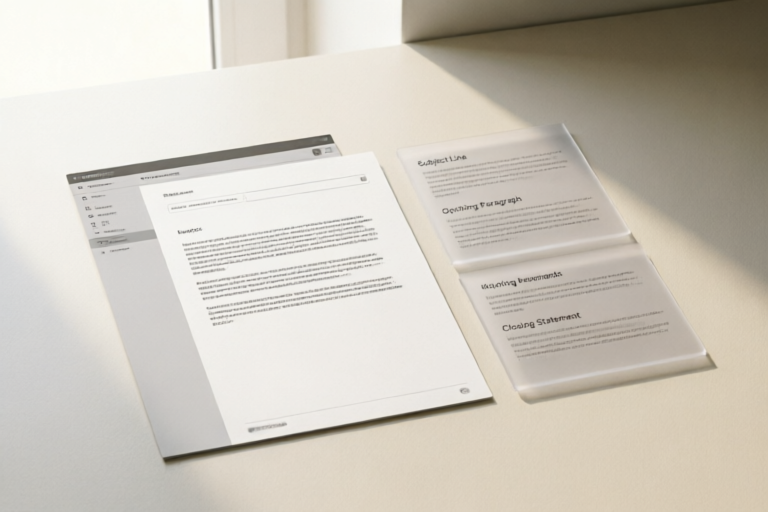
Email Templates for Job Applications
Master the art of email communication for job applications.
1. Introduction to Email Templates for Job Applications
When it comes to job hunting, the first impression counts. In today's digital age, your email can be the deciding factor between landing an interview or getting overlooked. A well-crafted email not only showcases your professionalism but also increases your chances of catching the recruiter's attention.
In this comprehensive guide, we'll walk you through every step of creating an effective job application email. From crafting the perfect subject line to tailoring your message for specific job descriptions, this article will equip you with all the tools necessary to stand out from the competition.
2. The Perfect Subject Line for Your Job Application Email
Tips for Creating Attention-Grabbing Subject Lines
The subject line is the first thing the recruiter sees, so it needs to grab their attention immediately. Here are some tips:
- Be concise: Keep it short and to the point.
- Be specific: Mention the job title and company name.
- Be personal: Address the recipient by name if possible.
- Highlight your value: Briefly mention why you're a good fit for the role.
Examples of Effective Subject Lines
- "Application for Senior Software Engineer Position at Tech Innovators Inc."
- "John Doe Applying for Marketing Manager Role"
- "Experienced Sales Professional Seeking Opportunity at ABC Corp."
3. Greeting and Introduction in Your Email
How to Start Your Email Professionally
Your greeting sets the tone for the entire email. It should be polite, respectful, and tailored to the recipient. If you know the hiring manager's name, use it; otherwise, a general salutation like "Dear Hiring Team" works just fine.
After the greeting, introduce yourself briefly and state your purpose clearly. For example:
"I am writing to apply for the position of [Job Title] as advertised on [Recruitment Platform]. With over [X] years of experience in [Field], I believe my skills and background align well with the requirements of this role."
Best Practices for Introducing Yourself
- Provide relevant details about your qualifications upfront.
- Avoid unnecessary fluff or overly formal language.
- Show enthusiasm for the opportunity without sounding desperate.
4. Body of the Email: Highlighting Your Qualifications
Structuring the Body to Showcase Your Skills and Experience
The body of your email is where you elaborate on why you're the ideal candidate. Structure it logically, starting with a brief summary of your experience, followed by specific examples that demonstrate how you've contributed to previous roles.
Here’s a suggested structure:
- Introduction: Recap your qualifications mentioned in the introduction.
- Experience: Provide bullet points highlighting key achievements.
- Skills: List any technical or soft skills relevant to the job.
- Culture Fit: Show how you align with the company values.
Tailoring Your Message to Fit the Specific Job Description
Customize each application email based on the job posting. Use keywords from the job description to show that you’ve read and understood the requirements. This demonstrates both your interest in the role and your ability to meet its demands.
5. Closing the Email: Next Steps and Call-to-Action
How to End Your Email on a Strong Note
The closing paragraph should leave a lasting positive impression. Thank the reader for considering your application and express your eagerness to discuss further opportunities.
"Thank you for considering my application. I look forward to the possibility of contributing to [Company Name] and would welcome the chance to discuss how my skills and experiences align with your team’s needs."
Suggestions for Inviting the Employer to Review Your Resume
Encourage the reader to review your resume by attaching it directly or linking to an online version. Make sure your resume is easily accessible and formatted correctly.
6. Common Mistakes to Avoid in Job Application Emails
Pitfalls to Watch Out for When Writing Your Email
Here are some common errors to avoid:
- Spelling and grammar mistakes: Always proofread before sending.
- Being too generic: Personalize each email to match the job description.
- Overloading with information: Keep it concise and focused.
- Lack of follow-up: Consider sending a polite reminder after a week if no response is received.
Tips for Ensuring Professionalism and Clarity Throughout
- Use a professional tone throughout the email.
- Avoid using slang or overly casual language.
- Ensure all links and attachments work properly.
7. Conclusion and Final Thoughts
In summary, crafting a successful job application email involves careful planning and attention to detail. By following these guidelines, you can present yourself professionally and increase your chances of securing an interview.
Remember, practice makes perfect. Take time to refine your approach and tailor each email to the specific job you're applying for. Good luck!
Comments

Saved this template for future reference. It's concise and professional.

This helped me structure my email better. Thanks!

I adjusted the subject line a bit to include the job title. It made my email stand out.

Would love to see more examples for networking emails too. This is really helpful though!

Great tips on avoiding common mistakes. I always forget to proofread before sending.

How would you suggest tailoring the intro if you've never worked in the industry?
Used this and it worked! Got a call for an interview after sending my application with one of these templates.