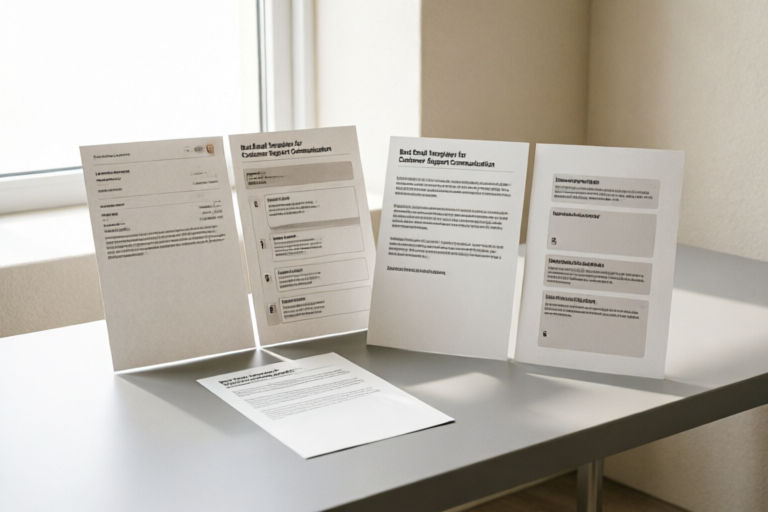
Best Email Templates for Customer Support Communication
Enhance Your Customer Support with Perfectly Crafted Emails
### Introduction to Effective Customer Support Emails
Importance of customer support in business operations:
Customer support is a critical component of any business operation. It serves as the primary channel through which companies address customer queries, resolve issues, and maintain relationships. A robust customer support system can significantly impact customer satisfaction, retention, and ultimately, business growth.
Role of email templates in enhancing communication efficiency:
Email templates play a crucial role in streamlining customer support communication. They ensure consistency in messaging, reduce response times, and allow support teams to handle multiple inquiries efficiently. By using well-crafted email templates, businesses can provide prompt and personalized responses, thereby enhancing overall customer experience.
Overview of the article structure:
This article will explore the essential elements of an effective customer support email template, discuss common scenarios where such emails are used, offer tips for crafting persuasive and professional emails, and provide examples of high-performing email templates. We'll also conclude with a summary of key points and encourage continuous improvement in customer communication.
### Essential Elements of a Customer Support Email Template
Greeting and opening statement:
The greeting should be warm and professional, addressing the customer by name if possible. The opening statement should briefly introduce the purpose of the email and set a positive tone. For example, "Dear [Customer Name]," followed by "Thank you for reaching out to us. We appreciate your inquiry and are here to assist you."
Problem identification and empathy:
Clearly identify the issue raised by the customer and express empathy towards their situation. This shows that you understand and care about their concerns. For instance, "We understand how frustrating it can be when [describe the issue]."
Solution or next steps:
Provide a clear solution or outline the next steps to resolve the issue. Be specific and actionable. For example, "To resolve this issue, please follow these steps: [list actions]. Alternatively, our support team will contact you within [timeframe] to assist further."
Closing remarks and contact information:
End the email on a positive note, thanking the customer for their patience and providing contact information for further assistance. For example, "Thank you for your understanding. If you have any further questions, feel free to reach out to us at [contact info]."
### Common Scenarios for Customer Support Emails
Welcome emails for new customers:
Welcome emails are a great way to build rapport with new customers. They should include a warm greeting, a brief introduction to the company, and an invitation to explore products or services. For example, "Welcome to [Company Name]! We're excited to have you on board. Check out our latest offerings and let us know if you need any assistance."
Troubleshooting and technical issues:
Emails addressing technical issues should be concise and informative. Provide step-by-step instructions to resolve the problem or direct the customer to relevant resources. For example, "To troubleshoot this issue, please try the following steps: [instructions]. If the problem persists, our technical support team will be happy to assist."
Complaint resolution and apologies:
When handling complaints, it's important to acknowledge the customer's frustration and offer a sincere apology. Provide a clear explanation of what went wrong and propose a solution. For example, "We sincerely apologize for any inconvenience caused. To rectify this, we will [offer solution]. Please let us know if there's anything else we can do to make it right."
Follow-up inquiries and feedback requests:
Follow-up emails are an excellent opportunity to check in with customers and gather feedback. Express gratitude for their previous interaction and invite them to share their thoughts. For example, "Thank you for your recent purchase. We value your feedback and would love to hear your thoughts on your experience with us."
### Tips for Crafting Persuasive and Professional Emails
Personalization techniques:
Personalizing emails can greatly enhance customer engagement. Use the customer's name, reference past interactions, and tailor the content to their specific needs. For example, "Dear John, we noticed you recently purchased our product X. Here's some additional information that might interest you."
Tone and language considerations:
Maintain a polite, empathetic, and professional tone throughout the email. Avoid jargon and overly technical language unless necessary. Ensure the language is clear and easy to understand. For example, "We understand how important it is for you to have a smooth experience with our service."
Response time optimization:
Responding promptly to customer inquiries is crucial for maintaining customer satisfaction. Set realistic expectations regarding response times and strive to meet or exceed them. For example, "We aim to respond to all inquiries within 24 hours. If your issue requires immediate attention, please call us at [phone number]."
Legal and compliance guidelines:
Ensure that all emails comply with legal requirements and industry standards. Include necessary disclaimers, privacy policies, and terms of service. For example, "Please refer to our privacy policy for details on how we handle your personal information."
### Examples of High-Performing Email Templates
Sample template for welcoming new customers:
<p>Dear [Customer Name],</p>
<p>Welcome to [Company Name]! We're excited to have you on board. Check out our latest offerings and let us know if you need any assistance.</p>
<p>Best regards,<br>[Your Name]<br>Customer Support Team</p>
Sample template for resolving technical problems:
<p>Dear [Customer Name],</p>
<p>To troubleshoot this issue, please try the following steps: [instructions]. If the problem persists, our technical support team will be happy to assist.</p>
<p>Best regards,<br>[Your Name]<br>Customer Support Team</p>
Sample template for handling complaints professionally:
<p>Dear [Customer Name],</p>
<p>We sincerely apologize for any inconvenience caused. To rectify this, we will [offer solution]. Please let us know if there's anything else we can do to make it right.</p>
<p>Best regards,<br>[Your Name]<br>Customer Support Team</p>
### Conclusion and Final Thoughts
Recap of key points discussed:
In this article, we've explored the essential elements of an effective customer support email template, discussed common scenarios where such emails are used, offered tips for crafting persuasive and professional emails, and provided examples of high-performing email templates. By implementing these strategies, businesses can enhance their customer support communication and improve overall customer satisfaction.
Encouragement for continuous improvement in customer communication:
Customer communication is an ongoing process that requires continuous improvement. Stay updated with best practices, gather customer feedback, and adapt your communication strategies accordingly. Investing in effective customer support can lead to stronger customer relationships and business success.
Resources for further learning and template customization:
To further enhance your customer support communication, consider exploring additional resources such as customer support training programs, online courses, and industry publications. Additionally, there are numerous tools available for customizing and managing email templates, ensuring they meet the unique needs of your business and customers.
Comments

Used this and it worked. Customers appreciated the clear and concise communication.

Great start! Could you suggest some alternative wording for the closing remarks?

Just started using these templates for my first job. Feels like I'm ahead of the game already!

Response time optimization tip: set up auto-replies for busy times. Saved my day!
The follow-up inquiry template is great, but could you add some tips on measuring customer satisfaction?

Love the basic structure but how do I make it more personal for my brand?

I copied the troubleshooting template for my team. It saved us so much time drafting replies.

Used this template for customer complaints and it really helped soften the blow. The apology section was spot on!