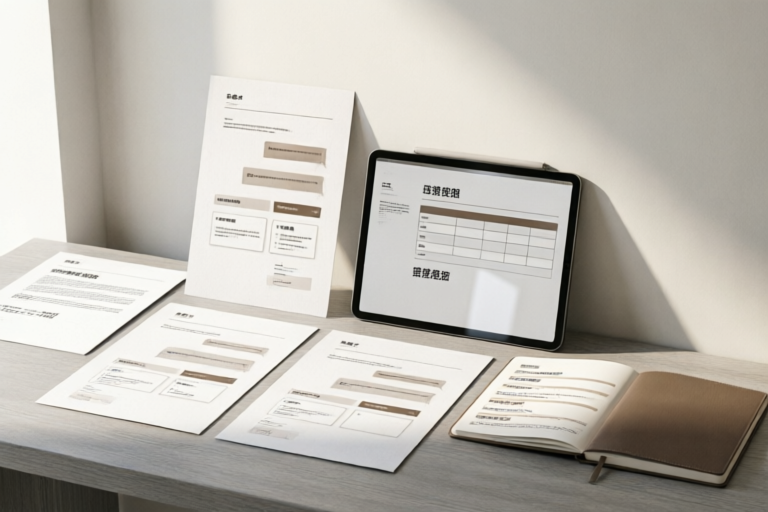
Ready-to-Use Business Templates for Daily Communication
Efficient Communication Starts with the Right Templates
### Article Outline: Ready-to-Use Business Templates for Daily Communication
1. Introduction to Business Templates
Definition and Importance of Business Templates in Daily Communication: Business templates are pre-designed formats that serve as a foundation for various types of professional communication. They play a crucial role in ensuring consistency, efficiency, and professionalism across all forms of business correspondence. These templates are essential for saving time, reducing errors, and maintaining a polished image in the eyes of clients and colleagues.
Overview of the Benefits They Offer: The use of business templates offers several advantages, including time-saving, enhanced professionalism, and improved organization. By having predefined structures for common tasks, teams can focus more on the content rather than the format. This not only boosts productivity but also ensures that important details are not overlooked.
2. Email Templates for Professional Correspondence
Sample Email Formats for Different Purposes: Whether it's an initial introduction, a follow-up message, or a polite rejection, having well-crafted email templates can make a significant difference in how you communicate. Here are some sample formats:
- Introduction Email: A brief introduction of yourself, your company, and the purpose of the email. It should be concise yet informative.
- Follow-Up Email: Remind recipients of previous discussions or actions taken, and provide updates or next steps. This helps keep the conversation moving forward.
- Rejection Email: Politely decline requests or proposals without offending the sender. Use a respectful tone and suggest alternative solutions if possible.
Tips on Personalizing Emails While Maintaining a Professional Tone: Even when using templates, it's important to personalize each email to suit the recipient. Address them by name, reference any previous interactions, and tailor the content to their specific needs. This shows that you value their time and effort, enhancing the overall professionalism of your communication.
3. Meeting Agendas and Minutes Templates
Structure of Effective Meeting Agendas and Minutes: A well-structured agenda outlines the topics to be discussed during a meeting, while minutes document what was decided and agreed upon. Both are critical for ensuring that meetings are productive and that action items are followed up.
- Agenda Template: Include the date, time, location, attendees, and a list of agenda items. Provide a brief description for each item to set expectations.
- Minutes Template: Record key decisions, action items, responsible parties, and deadlines. This ensures accountability and helps track progress.
How These Templates Help Streamline Meetings and Ensure Action Items Are Followed Up: Using standardized templates for meeting agendas and minutes can significantly improve meeting efficiency. They help keep everyone on track and ensure that all necessary information is captured accurately. Additionally, they facilitate better follow-through on action items, leading to more successful outcomes.
4. Proposal and Report Templates
Guidelines for Creating Compelling Proposals and Reports: Proposals and reports are essential for presenting ideas, outlining strategies, and providing insights. To create impactful documents, consider the following guidelines:
- Executive Summary: Start with a concise overview of the key points. This section should grab attention and convey the main message quickly.
- Introduction: Provide background information and state the purpose of the proposal or report.
- Body: Break down the content into logical sections. Use headings, subheadings, and bullet points to make the information easy to digest.
- Conclusion: Summarize the main points and reiterate the call to action.
Key Sections to Include in Both Types of Documents for Maximum Impact: In addition to the structure mentioned above, ensure that your proposals and reports contain relevant data, clear objectives, and actionable recommendations. Use charts, graphs, and other visual aids to support your arguments and make the information more engaging.
5. Presentation Templates for Engaging Visuals
Best Practices for Designing Presentations That Communicate Effectively: Presentations are one of the most powerful tools for conveying information. To create effective visuals, follow these best practices:
- Keep It Simple: Avoid cluttered slides. Focus on one main idea per slide.
- Use High-Quality Graphics: Incorporate images, icons, and charts that enhance understanding.
- Choose Appropriate Fonts: Stick to no more than two fonts and ensure readability.
- Incorporate Animation Wisely: Use animations sparingly to highlight key points.
Tools and Resources Available for Creating Visually Appealing Slides: There are numerous tools and resources available to help you design impressive presentations. Some popular options include Microsoft PowerPoint, Google Slides, Canva, and Prezi. These platforms offer a wide range of templates, themes, and design elements to choose from, making it easier to create professional-looking slides.
6. Summary and Conclusion
Recap of the Main Points Discussed About Ready-to-Use Business Templates: Throughout this article, we've explored various types of business templates, including email formats, meeting agendas and minutes, proposals, reports, and presentations. Each type serves a specific purpose and contributes to more efficient and professional communication.
Final Thoughts on How Incorporating These Templates Can Enhance Your Daily Communication Efforts: By leveraging ready-to-use business templates, you can save valuable time, maintain a high level of professionalism, and ensure that your communications are clear and organized. These tools are invaluable for both individual contributors and entire teams, helping to streamline processes and achieve better results. Incorporating them into your daily routine can lead to more productive and effective business interactions.
Comments

Saved this for quick access. So useful for daily tasks!

Any tips on adapting the templates for international clients? Language nuances can be tricky.

Love the presentation template. Made my slides look professional and engaging. Thanks!

Added some custom sections to the report template. It really helped organize my thoughts.

The meeting agenda template is a game changer. Keeps everyone on track!

How do I tweak the proposal template for a more creative spin? It's solid but needs some personality.
Used the email templates for a client follow-up. Saved me so much time! 🙌