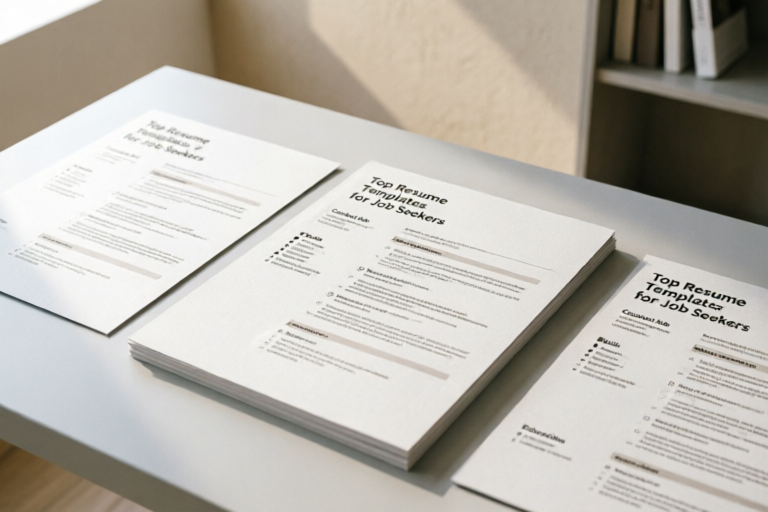
Top Resume Templates for Job Seekers
Find the Perfect Resume Template for Your Career
Introduction to Resume Templates
In the competitive world of job hunting, having a well-crafted resume is essential. A resume serves as your first impression and can significantly influence whether you land an interview or not. Resume templates provide a structured format that helps job seekers present their skills, experiences, and achievements effectively. These templates offer numerous benefits, including professional design elements, customization options, and compatibility with Applicant Tracking Systems (ATS).
Top Resume Templates for Various Industries
Best Resume Templates for Tech Jobs
For software developers and data analysts, it's crucial to showcase technical skills and relevant projects. Tech-oriented resume templates often feature sections for coding languages, frameworks, and databases. They also emphasize project-based work and collaboration experiences.
Ideal Resume Templates for Creative Fields
Designers and writers benefit from visually appealing resume templates that allow them to display their portfolios and creative work. These templates typically include sections for showcasing design samples, writing samples, and multimedia projects.
Appropriate Resume Templates for Business Professionals
Managers and accountants require templates that highlight leadership skills, financial acumen, and strategic thinking. Business-oriented resume templates often include sections for management experience, financial reporting, and analytical skills.
Key Features to Look for in a Resume Template
Professional Design Elements
A good resume template should have clean, modern designs that enhance readability. It should be easy on the eyes and professional enough to make a strong impression. Avoid overly busy or distracting designs that might detract from your content.
Customization Options
The ability to tailor your resume to specific roles is vital. Look for templates that offer customization options such as color schemes, fonts, and layout adjustments. This ensures that your resume reflects your personal brand and matches the requirements of the position you're applying for.
Integration with ATS Systems
Many companies use Applicant Tracking Systems (ATS) to screen resumes before human recruiters review them. To ensure your resume gets noticed, choose templates that are optimized for ATS compatibility. This includes using standard fonts, avoiding excessive formatting, and ensuring keywords are properly integrated.
How to Choose the Right Resume Template
Factors to Consider
When selecting a resume template, consider your industry, experience level, and personal preferences. For instance, entry-level candidates may prefer simpler templates that focus on education and skills, while experienced professionals might opt for more detailed templates that highlight career progression.
Tips for Adapting Templates
Once you've chosen a template, adapt it to highlight your unique qualifications. Tailor the content to match the job description and company culture. Use keywords from the job posting to increase the chances of passing through ATS screening.
Step-by-Step Guide to Using Resume Templates Effectively
Downloading and Customizing Templates
To get started, download a resume template from reputable sources like LinkedIn, Canva, or Microsoft Word. Once downloaded, open the file and begin customizing it by replacing placeholder text with your own information. Ensure all sections are filled out accurately and consistently.
Making Your Resume Stand Out
While maintaining professionalism, there are several strategies to make your resume stand out. Use bullet points to highlight key achievements and quantify results where possible. Include relevant certifications and awards to demonstrate your expertise. Finally, proofread your resume thoroughly to eliminate any errors or inconsistencies.
Conclusion and Final Tips
In summary, choosing the right resume template is a critical step in the job application process. By considering factors such as industry, experience level, and ATS compatibility, you can select a template that best represents your qualifications. Remember to customize your resume to fit each job application and always keep your content concise yet impactful. Explore different templates until you find the perfect fit for your needs, and don't hesitate to seek feedback from mentors or peers to further refine your resume.
Comments

The creative field section is spot on. Perfect for designers like me.

Really useful guide. Helps a lot in choosing the right template for managers.

For tech jobs, I'd suggest adding more space for project details. Otherwise, great stuff!
Saw this and saved it for later. Will definitely use when applying for my next role.

This is super helpful! Especially the part about ATS integration.

How do I customize this for a portfolio website? Any tips?
Used this and it worked! Found a great job thanks to these templates.