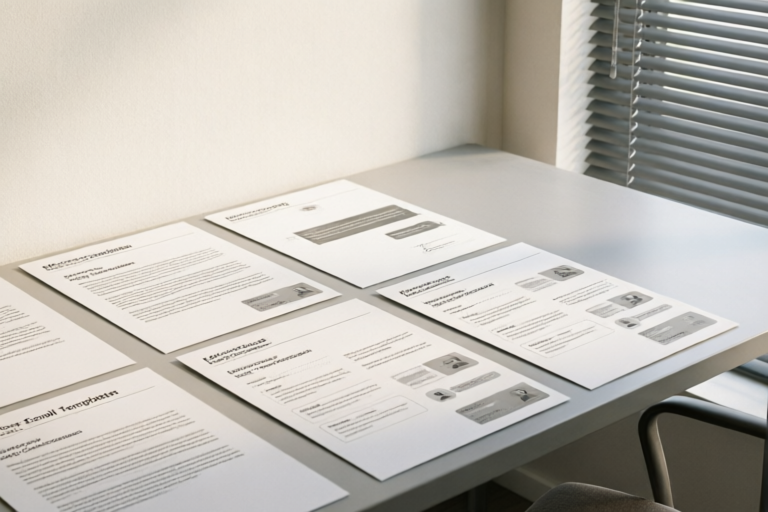
Effective Email Templates for Daily Team Collaboration
Enhance Your Team's Communication with Tailored Email Templates
Introduction to Effective Email Communication in Teams
Importance of Clear and Concise Communication in Team Collaboration
Effective communication is the backbone of any successful team. In today's fast-paced work environment, clear and concise communication ensures that everyone is on the same page, reducing misunderstandings and increasing productivity. Emails are one of the primary tools for internal communication, but they can often become cluttered and inefficient if not structured properly.
Overview of Common Challenges Faced When Communicating via Email
Email communication can be fraught with challenges. Misinterpretations, delayed responses, and irrelevant information are just a few of the hurdles that can hinder smooth collaboration. Additionally, the sheer volume of emails can lead to important messages getting lost in the shuffle, causing delays and frustration.
How Effective Email Templates Can Streamline Daily Operations
By using pre-designed email templates, teams can save time and ensure consistency in their communication. These templates provide a structured format that helps recipients quickly grasp the key points, reducing the likelihood of misinterpretation. Moreover, standardized templates can help maintain professionalism and clarity, which are essential for building trust and fostering a collaborative environment.
Basic Templates for Routine Updates
Daily/Weekly Status Update Template
Keeping your team informed about progress and upcoming tasks is crucial for maintaining alignment. Here’s an example of a weekly status update email:
Subject: Weekly Update – [Your Name]

Dear Team,

I hope this email finds you well. Below is a summary of my activities and tasks for the past week, along with my plans for the coming week.

Tasks Completed:
- Finished the first draft of the marketing plan.
- Conducted a meeting with the sales team to discuss Q2 goals.

Upcoming Tasks:
- Finalize the marketing plan by Friday.
- Prepare for the product launch presentation next Monday.

Any Issues:
- Encountered some technical difficulties with the CRM system. IT support is addressing the issue.

Best regards,
[Your Name]
Key Elements to Include
- Tasks Completed: A brief overview of what has been accomplished.
- Upcoming Tasks: What needs to be done in the near future.
- Any Issues: Any obstacles or challenges that need attention.
Templates for Requesting Information or Action
Polite Request for Information Template
When requesting information from colleagues, it’s important to be polite and clear. Here’s an example:
Subject: Request for Project Documentation

Dear [Recipient's Name],

I hope you're doing well. I am currently working on the [Project Name] and require some additional documentation to proceed. Could you please send me the latest version of the [Document Name]? It would be greatly appreciated if you could share it by [Date].

Thank you for your assistance.

Best regards,
[Your Name]
Best Practices for Making Your Request Clear and Actionable
- Be Specific: Clearly state what you need.
- Set Deadlines: Provide a timeline for when the information is needed.
- Show Appreciation: Express gratitude for the recipient’s cooperation.
Templates for Scheduling Meetings and Deadlines
Meeting Invitation Template with Agenda and Preparation Instructions
Efficient meetings are critical for productive collaboration. Here’s a sample meeting invitation:
Subject: Meeting Invitation – [Project Name]

Dear Team,

I would like to invite you to a meeting regarding the [Project Name]. The details are as follows:

Date: [Meeting Date]
Time: [Meeting Time]
Venue: [Meeting Venue]
Agenda:
- Review the current status of the project.
- Discuss potential challenges and solutions.
- Plan the next steps.

Preparation Instructions:
Please review the latest project report and come prepared to discuss any questions or concerns.

Looking forward to seeing you there.

Best regards,
[Your Name]
Deadline Reminder Template Ensuring Timely Submissions
Deadlines are essential for keeping projects on track. Here’s a way to remind your team:
Subject: Deadline Reminder – [Project Name]

Dear [Recipient's Name],

Just a friendly reminder that the deadline for submitting the [Project Component] is approaching. Please ensure that all necessary documents are finalized and submitted by [Date]. If you encounter any issues, don’t hesitate to reach out.

Best regards,
[Your Name]
Tips on How to Handle Last-Minute Changes Effectively
- Stay Calm: Keep your composure and focus on finding solutions.
- Communicate Clearly: Inform all stakeholders about the change and its implications.
- Adjust Timelines: Ensure that deadlines and schedules are adjusted accordingly.
Templates for Providing Feedback and Recognition
Constructive Feedback Template That Is Both Honest and Encouraging
Giving constructive feedback is an art. Here’s a template to help you:
Subject: Feedback on [Project Name]

Dear [Recipient's Name],

Thank you for your hard work on the [Project Name]. Here are some observations and suggestions:

Positive Points:
- The overall structure of the project is solid.
- The team has shown great collaboration.

Areas for Improvement:
- Some sections could benefit from more detailed analysis.
- Consider revisiting the timeline to avoid bottlenecks.

I believe with these adjustments, we can achieve even better results. Let’s schedule a follow-up meeting to discuss further.

Best regards,
[Your Name]
Recognition Message Template for Acknowledging Good Work
Recognizing and appreciating your team’s efforts is vital for morale. Here’s an example:
Subject: Kudos for Outstanding Work – [Team Member's Name]

Dear [Team Member's Name],

Congratulations on your exceptional work on the [Project Name]. Your dedication and expertise have significantly contributed to the success of this project. Your attention to detail and proactive approach have set a great example for the entire team.

Keep up the great work!

Best regards,
[Your Name]
How to Balance Positive Reinforcement with Areas Needing Improvement
- Start with Positives: Begin the email by highlighting the strengths and achievements.
- Offer Constructive Criticism: Present areas for improvement tactfully and suggest actionable steps.
- End on a High Note: Conclude the email with encouragement and appreciation.
Conclusion: Maximizing Efficiency Through Customized Email Templates
Recap of the Importance of Tailored Email Communications
Customized email templates are invaluable tools for enhancing communication within teams. They ensure that messages are clear, concise, and consistent, which are essential for efficient collaboration. By tailoring these templates to fit specific team needs, you can further optimize communication processes.
Encouragement to Adapt These Templates Based on Specific Team Needs
While these templates provide a solid foundation, it’s important to adapt them to suit your team’s unique dynamics and workflows. Customize the templates to reflect your organization’s culture and priorities, ensuring that they remain relevant and effective.
Final Thoughts on Maintaining Open Lines of Communication Within Teams
Ultimately, the goal of using email templates is to foster open and transparent communication. By maintaining clear channels of communication, teams can work more cohesively, leading to higher productivity and better outcomes. Remember, effective communication is a two-way street—encourage feedback and be open to suggestions to keep the dialogue flowing.
Comments

Saved this template for later use. Looks like it'll save me from writing emails from scratch.

I copied the info request template but changed 'Project Documentation' to 'Client Materials'. Works great!

This recognition template is gold. Made sure to thank my team properly this week.
Love the meeting invite template but could we add a section for parking lot items?

The feedback template really helped soften some tough conversations. Thanks!

How do I tweak this for a more casual team vibe? The current tone seems a bit too formal.

Used the weekly update template yesterday, saved me so much time! Now I just fill in the blanks.