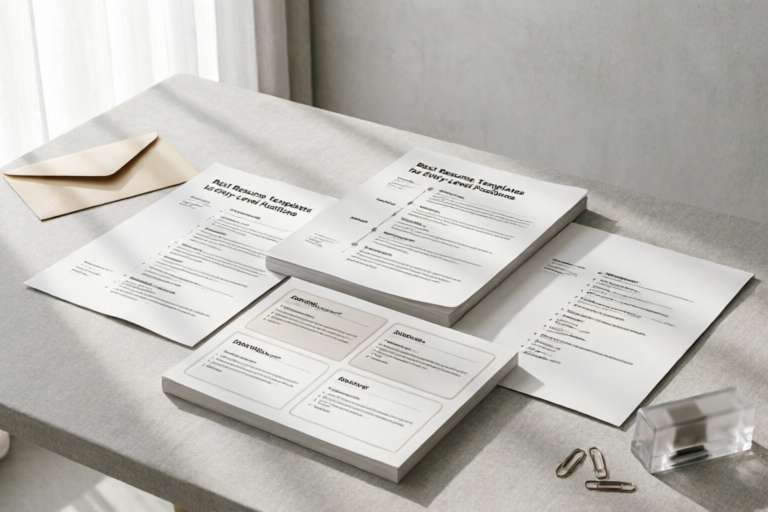
Best Resume Templates for Entry-Level Positions
Craft a Winning Resume with the Best Templates
Introduction to Entry-Level Resume Templates
Welcome to the world of resume creation! As a beginner in your professional journey, crafting a compelling resume can be both daunting and crucial. An entry-level resume template serves as a guiding framework that helps you present your qualifications in a professional manner. These templates are not only designed to save time but also to ensure that your resume is structured correctly, increasing your chances of landing an interview.
For many first-time job seekers, the challenge lies in effectively communicating their potential despite limited work experience. This is where pre-designed templates come in handy. They provide a solid foundation, allowing you to focus on tailoring your content rather than worrying about formatting.
In this article, we will explore various aspects of creating an effective entry-level resume, from understanding the key components to choosing the right format and customizing it according to specific job requirements. Let's dive in!
Key Components of an Effective Entry-Level Resume
1. Summary/Objective Statement
Your summary or objective statement should succinctly introduce who you are and what you bring to the table. It acts as a snapshot of your professional identity and sets the tone for the rest of the document. For example:
"Recent graduate with a degree in Marketing, eager to apply my knowledge in digital marketing strategies and customer engagement."
This brief yet impactful statement grabs attention and gives employers a clear idea of your career goals.
2. Education, Certifications, and Skills
Highlighting your educational background is essential, especially if you're fresh out of college. Include your degree, major, institution, and graduation date. Additionally, list any relevant certifications that demonstrate your expertise in specific areas.
Skills are equally important. Focus on hard skills related to the job you're applying for, such as software proficiency or language abilities. Soft skills like communication and teamwork are also valuable additions.
3. Internships, Part-Time Jobs, and Volunteer Experiences
Even if you don't have full-time work experience, internships, part-time jobs, and volunteer opportunities can provide valuable insights and practical skills. These experiences often bridge the gap between academic learning and real-world application. Be sure to detail these roles in your resume, emphasizing any responsibilities and achievements.
4. Formatting Tips
Proper formatting enhances readability and ensures that your resume stands out. Use bullet points instead of paragraphs, maintain consistent margins, and choose fonts that are easy to read (e.g., Arial, Calibri). Additionally, keep the layout clean and uncluttered, avoiding excessive use of colors or images unless they align with the industry norms.
Popular Types of Entry-Level Resume Formats
1. Reverse Chronological Format
The most common type of resume, especially suitable for recent graduates with limited work history. This format lists your most recent experience first, followed by earlier roles. It provides a straightforward timeline of your professional development.
2. Functional Format
If you have gaps in employment or are transitioning into a new field, consider using a functional format. This approach focuses more on your skills and accomplishments rather than chronological work history. It allows you to emphasize transferable skills and highlight how they can benefit the prospective employer.
3. Combination Format
A hybrid approach combining elements of both reverse chronological and functional formats. This versatile structure showcases both your skills and work experience, providing a comprehensive overview of your capabilities.
4. Creative Formats
For creative professionals like graphic designers, marketers, or artists, incorporating visual elements into your resume can make it stand out. However, ensure that these additions complement rather than distract from the core information. Use high-quality visuals and maintain professionalism throughout.
Tips for Customizing Your Resume Template
1. Tailor to Job Descriptions
Each job posting has its own set of requirements. Customize your resume by highlighting the skills and experiences most relevant to the position. Incorporate keywords found in the job description to increase the likelihood of passing through Applicant Tracking Systems (ATS).
2. Use Action Verbs and Quantifiable Achievements
Employ action verbs such as "led," "developed," or "managed" to describe your past roles. Quantify your achievements whenever possible (e.g., "increased sales by 20%"). This adds depth and credibility to your resume.
3. Maintain Consistency
Consistency in font style, size, and color scheme is crucial for maintaining a professional appearance. Avoid mixing too many fonts or using overly decorative styles unless appropriate for the industry.
4. Add Relevant Keywords
Many companies use ATS to screen resumes. Including industry-specific keywords can help your resume pass through initial filters and reach human eyes.
Top Resources for Free and Premium Resume Templates
Free Resources
Several websites offer free downloadable templates:
- Canva: User-friendly interface with customizable designs.
- Zety: Provides detailed guides alongside templates.
- Monster: Offers a variety of professionally designed layouts.
Paid Services
For those seeking more advanced customization options, consider paid services:
- Resume.com: Comprehensive tools including resume writing assistance.
- Resume Maker: Allows extensive personalization and customization.
Choosing Between Free and Paid Options
Deciding whether to opt for free or premium templates depends on your individual needs. If you're comfortable with basic design and need only a few adjustments, free resources might suffice. However, if you require expert guidance or advanced features, investing in a paid service could be worthwhile.
Conclusion and Final Thoughts
Crafting an effective entry-level resume is a critical step towards securing your dream job. By leveraging the right templates and following our tips, you'll be well on your way to presenting yourself confidently to potential employers. Remember to explore multiple options before settling on one template, ensuring it best represents your unique skillset and experiences.
Comments

Saved this template. Will use the free version from Canva first before considering paid options.

Can someone suggest better wording for the summary section? Struggling to make it stand out.

Great tip on adding ATS keywords. Passed the system and got noticed by the recruiter.
For creatives, the creative format was a game changer. Added some personal touches and nailed it!

This is exactly what I needed. Easy to follow and really helped me highlight my education and internships.

How do I tweak this for a career change? The functional format sounds promising but need some guidance.

Used this and it worked! Got my first interview thanks to the reverse chronological template.