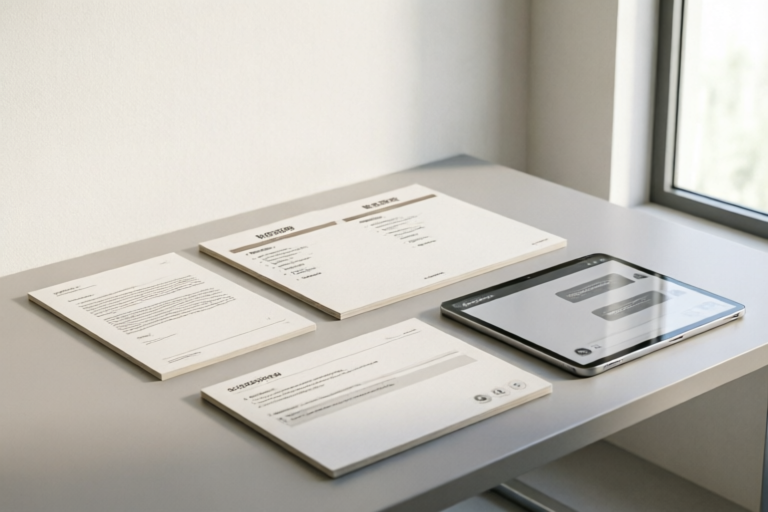
Examples of Daily Communication Templates
Streamline Your Professional Communication with These Templates
Introduction to Daily Communication Templates
Daily communication templates are pre-formatted messages designed to streamline professional interactions. They provide structure and consistency, ensuring that important information is conveyed clearly and professionally. In a fast-paced work environment, these templates save time and reduce errors, making them indispensable for efficient communication.
Definition and Importance of Daily Communication Templates
Daily communication templates serve as a framework for various forms of professional communication. They help maintain professionalism, ensure consistency, and improve efficiency. Whether you're sending an email, taking meeting notes, or responding to customer inquiries, having the right template can make all the difference.
Overview of Different Types of Communication in a Professional Setting
In a professional setting, communication can take many forms, including emails, meetings, instant messages, and customer service interactions. Each type requires a different approach and set of best practices. Understanding these differences is crucial for effective communication.
Email Communication Templates
Emails are one of the most common forms of professional communication. Having well-crafted email templates can significantly enhance your ability to convey information clearly and professionally.
Templates for Initial Outreach and Follow-Ups
When reaching out to someone for the first time, it's essential to make a good impression. A well-crafted initial outreach email template can help you do just that. Similarly, follow-up emails should be concise and to the point, reminding the recipient of the previous conversation without being overly pushy.
Subject Lines that Grab Attention
The subject line is often the first thing a recipient sees. Crafting an attention-grabbing subject line can increase the likelihood of your email being opened and read. It should be clear, concise, and relevant to the content of the email.
Best Practices for Professional Email Writing
Professional email writing involves more than just crafting a good subject line. It also includes proper formatting, tone, and content. Here are some best practices:
- Use a clear and concise subject line
- Start with a greeting appropriate to the recipient
- Be clear and concise in your message
- End with a polite closing
Meeting Notes Templates
Effective meeting notes are essential for ensuring that everyone is on the same page after a meeting. They provide a record of what was discussed and agreed upon, helping to keep projects on track.
Structuring Meeting Minutes for Clarity and Actionability
Meeting notes should be structured in a way that makes them easy to understand and actionable. Start with the date, time, and location of the meeting, followed by an agenda and list of attendees. Then, summarize the main points of discussion and any decisions made.
Key Points to Include in Your Notes
Effective meeting notes should include:
- Date, time, and location of the meeting
- Agenda and list of attendees
- Main points of discussion
- Decisions made and action items assigned
- Next steps and deadlines
Tips for Effective Meeting Facilitation
Facilitating a meeting effectively can greatly enhance its productivity. Here are some tips:
- Prepare an agenda in advance
- Encourage participation from all attendees
- Stay on topic and manage time efficiently
- Summarize key points at the end of the meeting
Instant Messaging Templates
Instant messaging has become an integral part of modern workplace communication. Tools like Slack and Microsoft Teams allow teams to collaborate in real-time, but it's important to maintain professionalism even in these informal channels.
Sample Messages for Team Collaboration Tools like Slack or Microsoft Teams
Here are some sample messages for instant messaging:
- "Hi [Name], could you please provide an update on [Project] by [Date]?"
- "Thanks for your input, [Name]. I'll make sure to incorporate your suggestions."
- "Just wanted to check in and see if everything is going smoothly with [Task]."
Polite Ways to Ask for Updates or Clarification
When asking for updates or clarification, it's important to remain polite and respectful. Here are some examples:
- "Could you please provide an update on [Project] by [Date]?"
- "I'm sorry, I'm not quite following. Could you please explain [Point] again?"
Guidelines for Maintaining Professionalism in Informal Channels
Maintaining professionalism in instant messaging involves:
- Using appropriate language and tone
- Avoiding excessive abbreviations and slang
- Being respectful and courteous to all team members
Customer Service Templates
Customer service is a critical aspect of any business. Providing prompt and accurate responses to customer inquiries can greatly enhance customer satisfaction and loyalty.
Standard Responses for Common Customer Inquiries
Here are some standard responses for common customer inquiries:
- "Thank you for contacting us. We appreciate your patience while we look into this matter."
- "We're sorry to hear about the issue you're experiencing. Let me assist you with that."
Scripts for Handling Complaints and Feedback
Handling complaints and feedback requires a calm and empathetic approach. Here are some scripts:
- "I'm really sorry to hear about your experience. Let me see what I can do to resolve this for you."
- "Thank you for your feedback. We value your opinion and will use it to improve our services."
Strategies for Building Rapport with Clients
Building rapport with clients involves:
- Listening actively and showing empathy
- Responding promptly and accurately
- Going above and beyond to meet their needs
Summary and Conclusion
In conclusion, daily communication templates are invaluable tools for streamlining professional interactions. Whether you're sending an email, taking meeting notes, messaging on Slack, or responding to customer inquiries, having the right template can make all the difference. Remember to adapt these templates to fit your specific context and create personalized templates for unique situations.
Comments

Really useful, but could add more examples for follow-up emails. Also, some tips on how to close emails nicely would be great.

I customized the email templates a bit to match my personal style. Still kept the professional tone but added my own flair.
How would you adapt these templates for international clients? Any tips on adjusting the tone?

For customer service, the standard response templates helped me handle a tricky complaint smoothly. Thanks!

Loving the instant messaging tips! Added some of the polite request phrases to my Slack messages, feels more professional.

The meeting notes template is a lifesaver. I structured my last meeting using it and everyone was impressed with the clarity.

Used the initial outreach template yesterday, got a reply within an hour! The subject line really grabbed their attention.