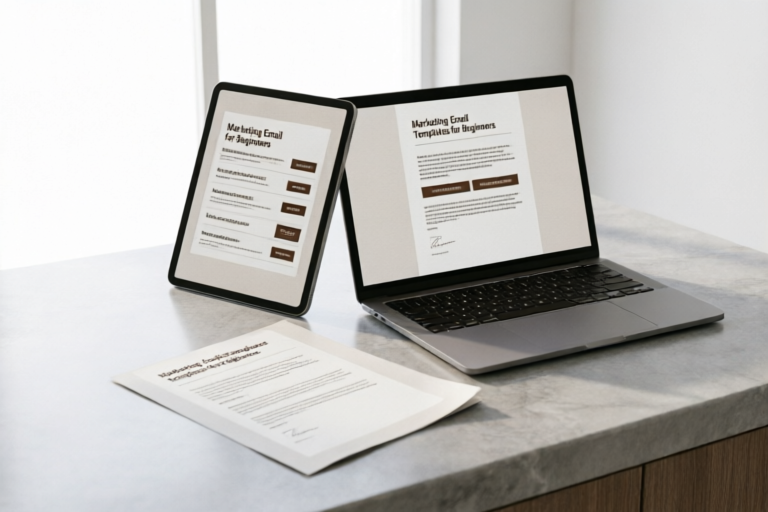
Marketing Email Templates for Beginners
Master the Art of Email Marketing with These Beginner-Friendly Templates
### Marketing Email Templates for Beginners
1. Introduction to Marketing Emails
Overview of Email Marketing and Its Importance in Digital Marketing Strategies:
Email marketing is one of the most powerful tools in any digital marketer's arsenal. It allows businesses to communicate directly with their target audience, build relationships, and drive conversions. The rise of email marketing has been significant, with over 3.9 billion users expected by 2023. By leveraging personalized content and engaging calls-to-action (CTAs), marketers can increase customer retention rates and boost revenue.
Brief History and Evolution of Email Marketing Templates:
The concept of email marketing dates back to the early 1970s when Ray Tomlinson sent the first email. However, it wasn't until the late 1990s that email marketing gained traction as a viable marketing channel. Initially, email marketing involved simple text-based messages, but as technology advanced, so did the complexity of email designs. Today, email marketing templates are sophisticated, incorporating dynamic content, interactive elements, and responsive design to cater to diverse audiences across various devices.
2. Basic Elements of a Marketing Email Template
Essential Components:
- Header: Typically includes the sender's logo, company name, and navigation links. It helps establish brand identity and provides easy access to important information.
- Body: This is where the main message resides. It should be concise yet informative, guiding recipients through the content logically. Use bullet points, short paragraphs, and images to enhance readability.
- Footer: Contains legal disclaimers, unsubscribe links, social media icons, and contact information. Ensure these elements are easily accessible without overwhelming the layout.
- Call-to-Action (CTA): A clear and compelling CTA encourages recipients to take action, whether it’s making a purchase, signing up for a newsletter, or downloading an eBook.
Best Practices for Designing Visually Appealing and User-Friendly Templates:
When crafting your email templates, focus on simplicity and clarity. Choose colors and fonts that align with your brand identity while ensuring they're legible across different devices. Incorporate high-quality images and videos to engage readers visually. Additionally, keep text minimal and use whitespace effectively to prevent clutter.
3. Types of Marketing Emails
Welcome Emails for New Subscribers:
Welcome emails serve as a warm welcome to new subscribers, setting the tone for future communications. They typically include a brief introduction to the brand, highlights of what subscribers can expect from the mailing list, and perhaps a special offer to incentivize engagement.
Promotional Emails for Product Launches or Sales:
Promotional emails aim to generate excitement around new products or limited-time offers. These emails often feature eye-catching visuals, detailed descriptions, and persuasive CTAs encouraging immediate action.
Transactional Emails for Order Confirmations and Receipts:
Transactional emails provide essential information about completed transactions, such as order confirmations, shipping updates, and receipts. While primarily functional, these emails also present opportunities for cross-selling or upselling.
Newsletters for Regular Updates and Engagement:
Newsletters keep subscribers informed about industry trends, company news, and upcoming events. They foster ongoing engagement by offering valuable insights and exclusive content.
4. Step-by-Step Guide to Creating Your First Template
Tools and Platforms for Building Email Templates:
Several tools and platforms are available for creating professional email templates, including:
- Mailchimp: Offers drag-and-drop editors, customizable templates, and robust analytics.
- Canva: Provides pre-designed templates and easy-to-use design tools for non-designers.
- Constant Contact: Known for its user-friendly interface and extensive customization options.
Tips for Writing Compelling Subject Lines and Personalizing Content:
A strong subject line captures attention and encourages opens. Keep it concise (<15 words) and relevant. Personalization adds value by addressing subscribers by name and referencing past interactions. For example, if a subscriber previously purchased a specific product, mention it in the email.
How to Test and Optimize Your Email Before Sending It Out:
Before hitting send, thoroughly test your email across multiple devices and email clients to ensure consistent rendering. Check for broken links, incorrect formatting, and typos. Gather feedback from colleagues or beta testers to identify areas for improvement.
5. Common Mistakes to Avoid in Marketing Emails
Overloading the Template with Too Much Information:
Cluttered emails overwhelm recipients and decrease engagement. Stick to one primary message per email, supported by relevant supporting details.
Failing to Segment Your Audience for More Targeted Messages:
Audience segmentation allows you to tailor content to specific groups based on demographics, behavior, or preferences. This approach increases relevance and effectiveness.
Ignoring Mobile Optimization for Better Readability on Smaller Screens:
With the increasing use of smartphones, ensuring your emails look great on mobile devices is crucial. Optimize images, adjust font sizes, and simplify navigation to enhance readability.
6. Conclusion and Resources for Further Learning
In this article, we've covered the basics of email marketing, explored different types of marketing emails, provided a step-by-step guide to creating your first template, highlighted common mistakes to avoid, and offered additional resources for further learning.
To continue honing your skills in email marketing, consider exploring the following resources:
- HubSpot's Email Marketing Blog: Offers expert advice and best practices for improving email campaigns.
- Email on Acid: Provides insights into email marketing trends and tips for staying ahead of the curve.
- Campaign Monitor's Email Marketing Best Practices Guide: A comprehensive resource covering everything from strategy to execution.
Comments

Good reminder about audience segmentation. Made me rethink my approach.

Used this and it worked. Simple and effective!

Mentioned mobile optimization but could go deeper. Any suggestions for tools?
Really liked the breakdown of different types of emails. Saved this for future reference.

I copied the promotional email template but need help customizing it for a seasonal sale. Any advice?
Great tips on CTAs. I struggled with that part but now I'm confident with my designs.

Used this guide to create my first welcome email for new subscribers. It was super helpful!