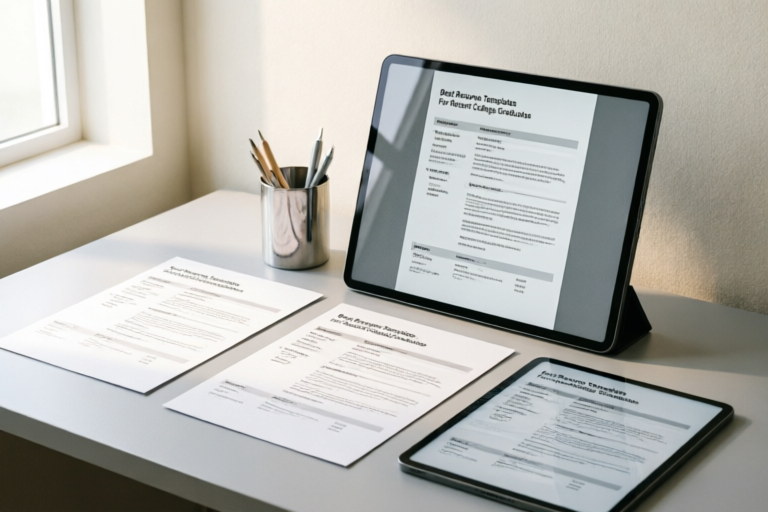
# Best Resume Templates For Recent College Graduates
## Introduction
Graduating college is a monumental milestone. It represents years of hard work, late-night study sessions, and significant personal growth. However, stepping out into the workforce can feel overwhelming, especially when faced with the daunting task of applying for jobs. For many recent college graduates, the most significant hurdle isn't the interview itself—it's getting past the initial application stage.
In today's competitive job market, where thousands of applicants apply for a single position, your resume is your only ticket to an interview. Unlike experienced professionals who can leverage their work history, recent graduates often face a blank slate in terms of employment. This is where the strategic selection and design of a resume template become crucial. A well-crafted resume template does more than just organize information; it tells a compelling story of your potential, highlights your academic achievements, and demonstrates your readiness to contribute to a company.
This guide dives deep into the world of resume crafting for those just starting their careers. We will explore why template selection matters, the critical components that must be included, how to choose a style that fits your industry, ensuring your document passes through Applicant Tracking Systems (ATS), and finally, a checklist to perfect your final draft. By the end of this article, you will have all the knowledge needed to create a polished, professional resume that opens doors to your dream career.
## Why Template Selection Matters for Fresh Graduates
### The First Impression Game
Recruiters and hiring managers spend an average of six to ten seconds scanning a resume before deciding whether to keep reading. In that brief window, they are looking for relevance, clarity, and professionalism. When you lack extensive work history, your presentation becomes your primary selling point. If a resume looks cluttered, outdated, or difficult to read, even the strongest candidate credentials can be overlooked.
A polished template acts as a visual framework that guides the recruiter's eye to your strongest attributes. It signals attention to detail—a soft skill that is highly valued by employers across all sectors. Choosing the right template compensates for the lack of experience by structuring your education, internships, and extracurricular activities in a way that mimics professional experience.
### Highlighting Potential Over Experience
For seasoned professionals, the resume is a timeline of achievements. For fresh graduates, it is a portfolio of potential. Standard corporate resumes often rely heavily on "Professional Experience" to demonstrate value. Since you may not have held permanent roles, using a template designed specifically for entry-level candidates allows you to shift the focus.
Templates optimized for recent graduates emphasize:
1. **Academic Credentials:** Making your degree and university prominence central to the layout.
2. **Skill Integration:** Showing technical and soft skills clearly alongside your educational background.
3. **Project Visibility:** Providing ample space for academic or capstone projects that demonstrate practical application of learned concepts.
Without a suitable template, a recent graduate might default to a generic chronological format that leaves too much white space or forces them to bury important information under vague headings. A purpose-built template ensures that every inch of paper (or screen) works towards convincing the employer that you are a smart, capable, and trainable asset.
### Consistency and Professionalism
Beyond content, the aesthetic consistency of your resume reflects your work ethic. A messy layout suggests disorganization. Conversely, a clean, consistent template implies that you understand hierarchy and structure. When a template is selected wisely, it removes the cognitive load of formatting, allowing you to focus entirely on crafting powerful bullet points and persuasive narratives. In a pool of hundreds of applications, a cohesive design stands out simply because it looks like the work of someone who pays attention to detail.
## Critical Components Every Graduate Resume Template Must Include
Even with the best template, the content within is king. However, the template must be flexible enough to accommodate specific sections that are vital for those lacking traditional work history. Here are the essential components that every graduate resume template should support.
### 1. Education Section (The Core)
For a recent graduate, your education is your primary qualification. A good template places this section prominently, often immediately following the header. This shouldn't just be a simple line listing your school and degree.
**What to include in this section:**
* **Degree and Major:** Clearly state Bachelor of Science, Bachelor of Arts, etc., followed by the specific major.
* **University Name:** Full official name of the institution.
* **Location:** City and State/Country.
* **Graduation Date:** Month and Year. If you are graduating soon, list the expected date.
* **GPA:** Only include if it is above 3.5 (or equivalent). High academic performance validates intellectual capability.
### 2. Relevant Coursework
When direct work experience is scarce, coursework provides evidence of your theoretical foundation. Many templates for graduates allow for a dedicated "Relevant Coursework" subsection under Education.
**Strategic Tip:** Do not list every class you took. Select courses that align directly with the job description. If applying for a marketing role, highlight Consumer Behavior, Digital Marketing Strategy, and Market Research. If applying for software engineering, list Data Structures, Algorithms, Database Management, and Web Development.
### 3. Academic and Personal Projects
This is perhaps the most critical differentiator between a student resume and a job-seeker resume. Projects demonstrate that you can take theory and turn it into practice. A robust template must provide space here with room for a project title, description, and key technologies used.
**How to frame projects:**
Treat academic projects almost like jobs. Start with an action verb, describe the problem you solved, the tools you used, and the outcome.
* *Example:* "Developed a responsive e-commerce website prototype using React and Node.js, achieving 15% faster load times compared to industry benchmarks."
### 4. Internships and Volunteer Work
Not everyone has a paid internship, but volunteering or part-time roles in any capacity show initiative. If you do have internships, even short ones, they deserve a dedicated section similar to professional experience.
**Structure:**
* Role Title
* Organization Name
* Dates of Employment
* Bullet points focusing on responsibilities and achievements rather than just duties.
Volunteer work should be framed similarly. Did you lead a team event? Did you manage a budget? Did you develop communication skills? These transferable skills are valuable regardless of payment status.
### 5. Technical and Soft Skills
A summary of your skills is essential for both human readers and ATS bots. The template should offer a clear area to list Hard Skills (e.g., Python, Adobe Suite, SEO Analysis) and Soft Skills (e.g., Leadership, Communication, Problem-Solving).
**Formatting:**
Group skills logically. Don't just dump a list of twenty adjectives. Categorize them into "Technical Proficiencies," "Languages," or "Core Competencies." This makes the document easier to scan and proves you have a concrete skillset ready for deployment.
### 6. Certifications and Awards
If you have earned any certifications (e.g., Google Analytics, AWS Cloud Practitioner) or academic awards (Dean's List, Scholarships), include them. These validate your dedication and expertise beyond the classroom. Some templates merge this with Skills, while others prefer a separate "Honors & Awards" section. Choose the one that offers the most visibility for your achievements.
## Choosing the Right Style: Professional vs. Creative Designs
One size does not fit all. The "best" template depends heavily on the industry you are targeting. A creative flair might win you a job at a design agency, but it could disqualify you from a banking firm. Understanding the culture of the target companies is the first step in choosing your design style.
### Corporate and Traditional Industries
**Target Sectors:** Finance, Law, Accounting, Healthcare, Government.
**Recommended Style:** Clean, minimalist, and conservative.
* **Layout:** Single-column layouts are safest. They are easy to parse and look extremely organized.
* **Fonts:** Serif fonts (like Times New Roman, Garamond, or Georgia) convey tradition and trustworthiness. Sans-serif fonts (Arial, Calibri) are also acceptable for a cleaner look but stick to standard variations.
* **Color:** Black and white is the gold standard. Avoid colors unless they are subtle accents (e.g., dark blue for headers).
* **Graphics:** Keep it strictly text-based. No photos (unless explicitly required), no icons, and absolutely no charts or infographics.
**Why:** In these sectors, competence and reliability are paramount. Visual distractions can be seen as unprofessional or indicating a lack of seriousness.
### Modern and Tech-Focused Roles
**Target Sectors:** Technology Startups, Software Development, IT Support, E-commerce.
**Recommended Style:** Sleek, functional, and modern.
* **Layout:** Two-column designs are popular here to maximize white space and organize skills next to experience efficiently.
* **Fonts:** Clean Sans-serif fonts (Roboto, Open Sans, Helvetica).
* **Color:** Subtle use of color is okay to denote hierarchy (e.g., gray lines separating sections, blue for names/headers).
* **Graphics:** Minimal icons are acceptable (phone number icon, envelope icon) to enhance readability, provided they don't slow down loading times or confuse ATS.
**Why:** Tech recruiters appreciate efficiency and modern aesthetics. It shows you understand current design trends and digital standards.
### Creative Industries
**Target Sectors:** Graphic Design, Marketing, Advertising, Media Production.
**Recommended Style:** Visually engaging, unique, and personality-driven.
* **Layout:** You have more freedom here. Asymmetrical layouts, sidebars, or grids are acceptable.
* **Fonts:** You might use a distinct headline font paired with a readable body font. This shows typographic awareness.
* **Color:** Bold colors that match your personal brand palette are encouraged.
* **Graphics:** Visual elements like project thumbnails or skill progress bars are encouraged (as PDF files).
**Warning:** Even in creative fields, readability cannot be sacrificed for artistry. Ensure the core contact info is still easily found.
### The Golden Rule of Matching Culture
Always research the company before finalizing your design. If a company's website is modern and uses bright colors, a black-and-white text-only resume might seem out of sync. If the company has been around for 100 years, a neon green resume will signal that you are a bad cultural fit. Let the design of your resume subtly say, "I belong in your world."
## Ensuring ATS Compatibility and Overall Readability
Before you even send your resume to a human being, it must survive the gatekeeper: the Applicant Tracking System (ATS). An ATS is software used by companies to collect, sort, and rank resumes. If your template is incompatible, your application is likely deleted before a human ever sees it.
### How ATS Works
ATS software parses your resume, converting it into text that the system can index. It looks for keywords, dates, job titles, and education levels. If the system cannot read your file or doesn't understand the layout, it assigns you a low rank or rejects you outright.
### Common Formatting Pitfalls to Avoid
1. **Text Boxes and Graphics:** Never put text inside a text box, shape, or image. The ATS will skip over it entirely. If your contact info is inside a header/footer graphic, the system won't find your email address.
2. **Tables:** While some modern ATS can parse tables, it is safer to avoid them entirely for content organization. Stick to standard bullets and tabs.
3. **Headers and Footers:** Many ATS systems struggle with information placed in the top or bottom margins of a PDF. Put your name and contact info directly in the main body of the document.
4. **Non-Standard Fonts:** If the ATS doesn't recognize your specific font, it might display as gibberish. Stick to common fonts like Arial, Times New Roman, Calibri, Verdana, or Helvetica.
5. **File Format:** Always save your resume as a PDF unless the job application specifically asks for a Word (.docx) document. PDF preserves formatting across devices, making it readable for humans while usually safe for modern ATS parsers. However, extremely old ATS systems sometimes prefer .docx. Check the application instructions carefully.
### Keyword Optimization
The template helps with structure, but the content feeds the machine. To ensure ATS compatibility:
* **Analyze the Job Description:** Look for recurring skills or qualifications.
* **Mirror the Language:** If the job asks for "Project Management," don't just write "Led Teams." Use the phrase "Project Management."
* **No Hidden Text:** Do not try to cheat the system by using white text for keywords. Modern detection algorithms catch this and can blacklist your application.
### Readability for Humans
While ATS compatibility is technical, human readability is psychological. Once the ATS passes your resume, the human needs to skim it quickly.
* **Consistent Spacing:** Ensure equal spacing between bullet points.
* **Logical Flow:** Information should flow from most recent to oldest (Reverse Chronological Order).
* **White Space:** Don't cram too much text. Margins should be at least 0.5 inches. Breathing room suggests confidence and organization.
* **Font Size:** Body text should be between 10pt and 12pt. Headings can be larger but not so large that they break the balance.
By balancing strict adherence to ATS rules with a layout that pleases human eyes, you maximize your chances of passing both filters. The goal is invisibility for the format—so obvious and easy to navigate that the content shines through.
## Final Checklist and Conclusion for Your Job Search
You have chosen your template, crafted your content, and optimized for ATS. But before you hit "Submit," a rigorous review process is non-negotiable. The difference between getting an interview and getting ignored often lies in the final details.
### Pre-Submission Verification Checklist
1. **Contact Information Accuracy:** Double-check your email address (make it professional, e.g.,
[email protected]) and phone number. One wrong digit costs you everything.
2. **Proofreading:** Typos are fatal errors for entry-level roles. Proofread three times: once silently, once aloud, and once with a friend or peer. Check specifically for inconsistencies in tenses (don't mix past tense for old jobs with present tense for ongoing roles).
3. **Customization:** Have you tailored the "Skills" and "Summary" sections for *this* specific job? Sending the same generic resume to fifty companies rarely works better than sending a customized one to five companies.
4. **File Naming:** Save the file professionally. "John_Doe_Resume.pdf" is better than "My_Resume_Final_v2_updated.pdf." Recruiters might download hundreds of files; this helps them identify yours later.
5. **Link Checks:** If you included links to your LinkedIn profile or online portfolio, click them to ensure they actually work and are publicly accessible.
6. **Length:** For a recent graduate, one page is the standard. If you have extensive projects, two pages are acceptable, but try to condense. Respect the recruiter's time.
### Taking Action After Finalizing
Creating the resume is only step one. A strong resume launches the journey, but persistence sustains it.
* **Follow Up:** If you applied to a company and haven't heard back in a week or two, it is acceptable to send a polite follow-up email.
* **Track Applications:** Keep a spreadsheet of where you applied, the date, the job ID, and your contact person. This helps you stay organized and prevents duplicate applications.
* **Network Proactively:** Don't just rely on online portals. Use LinkedIn to connect with alumni from your university who work at target companies. Ask for informational interviews. Often, internal referrals bypass the ATS entirely, landing your resume directly on a hiring manager's desk.
* **Continuous Improvement:** Treat your resume as a living document. Every time you finish a course, gain a certification, or land a new project, update your resume immediately.
### Conclusion
Securing your first job after college is a challenge, but it is not impossible. The barrier to entry is often higher because you are proving yourself without a track record. This is why utilizing the best resume templates designed for recent college graduates is so important. It is not merely about aesthetics; it is about strategy, positioning, and clarity.
By focusing on your education, translating your academic work into professional language, choosing a design that matches your industry, and ensuring technical compatibility, you transform your resume from a document of grades into a document of promise. Remember, employers know you are a beginner. They aren't expecting you to be an expert. They are looking for curiosity, capability, and coachability. Your resume is the tool you use to prove you possess these qualities.
As you embark on your job search, approach each application with confidence. Polish your narrative, test your formatting, and never stop refining. Your first job is just the beginning of a long career, but it sets the foundation. With a high-quality, strategic resume template and a commitment to excellence, you will be well-positioned to land that first interview and launch the career you envision.
Good luck with your job search, and may your future be filled with opportunity!