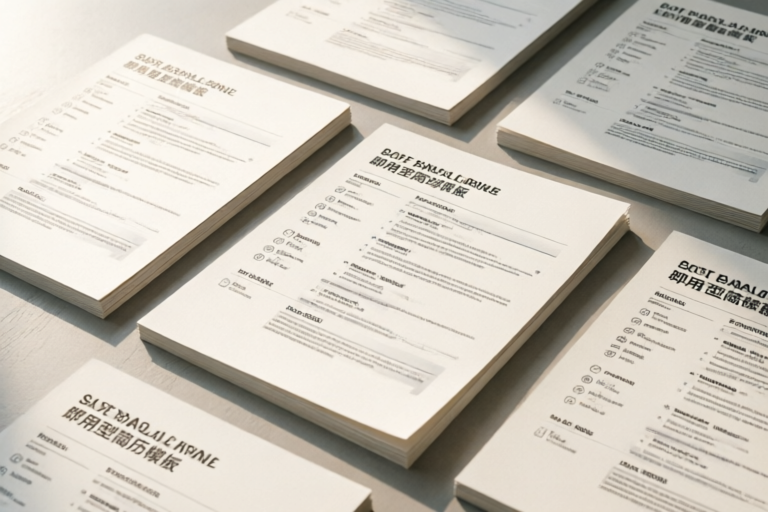
Ready-to-Use Resume Templates for Any Industry
Tailor Your Resume for Success
Introduction
A well-crafted resume is your first impression and often your ticket to landing an interview. In today's competitive job market, having a professional and industry-specific resume can make all the difference. Ready-to-use resume templates offer a convenient way to create a polished and effective document without spending hours formatting. These templates not only save time but also ensure that you include all necessary elements specific to your field, increasing your chances of catching the eye of potential employers.
1. Choosing the Right Template Based on Your Industry
Industry-specific resume templates are essential because they cater to the unique requirements and expectations of each sector. For example, a tech resume may emphasize programming languages, software proficiency, and project management skills, while a finance resume might focus on financial analysis, compliance, and risk management. Similarly, healthcare resumes highlight clinical expertise, patient care, and medical certifications. Understanding the nuances of your industry helps you select a template that aligns with hiring managers' preferences.
Examples of Different Industries and Their Unique Template Needs
- Tech: Emphasizes coding languages, frameworks, and project management tools.
- Finance: Highlights financial modeling, regulatory knowledge, and quantitative skills.
- Healthcare: Focuses on medical certifications, patient care, and specialized treatments.
- Education: Stresses teaching methods, curriculum development, and classroom management.
- Marketing: Emphasizes digital marketing strategies, SEO, and social media management.
2. Key Elements to Include in Your Resume Template
Your resume should be more than just a list of your past jobs. It should tell a story about your career progression and highlight your achievements. Here are some key elements to consider:
Personalized Sections
- Skills: Tailor this section to showcase your most relevant abilities for the job you're applying for.
- Experience: Provide detailed descriptions of your roles and responsibilities, emphasizing accomplishments over duties.
- Education: List your degrees, certifications, and any relevant coursework.
- Certifications: Highlight any industry-specific credentials that demonstrate your expertise.
Tips for Highlighting Relevant Achievements and Keywords
Use action verbs and quantify your achievements whenever possible. Incorporate keywords from the job description to optimize your resume for Applicant Tracking Systems (ATS). This ensures that your resume passes the initial screening process and reaches the eyes of a human recruiter.
3. Free vs. Paid Resume Templates: What’s Best for You?
When it comes to choosing between free and paid resume templates, there are pros and cons to consider.
Pros and Cons of Free Templates
- Pros: They are cost-effective and widely available. Many free templates offer basic customization options.
- Cons: They may lack advanced features and design quality. Some free templates can look outdated or generic.
Pros and Cons of Paid Templates
- Pros: Paid templates often come with premium design elements, advanced customization options, and sometimes even professional advice.
- Cons: The upfront cost can be a deterrent, especially if you're applying for multiple positions.
Recommendations for When It's Worth Investing in Premium Options
If you're applying for high-level positions, such as executive roles or highly specialized fields, investing in a premium template might be worthwhile. Additionally, if you need a template that offers advanced features like integration with ATS systems or personalized support, paying for a premium option could provide long-term benefits.
4. Customizing Templates to Fit Your Unique Profile
No matter which template you choose, personalization is key to making your resume stand out. Here’s how you can tailor generic templates to reflect your individual strengths and experiences:
Steps to Tailor Generic Templates
- Review the template carefully and identify sections that need modification.
- Remove irrelevant information and add sections that highlight your unique qualifications.
- Adjust the layout and color scheme to match your personal branding.
- Ensure consistency in font styles and sizes throughout the document.
Tools and Resources That Help with Customization
- Microsoft Word: Offers a variety of built-in templates and easy-to-use design tools.
- Canva: Provides customizable resume templates with drag-and-drop functionality.
- Adobe InDesign: Ideal for advanced users who need precise control over design elements.
5. How to Effectively Use Online Resume Builders
Online resume builders are becoming increasingly popular due to their ease of use and professional output. Here’s an overview of some popular options:
Popular Online Resume Builders
- Canva: Known for its user-friendly interface and extensive template library.
- Zety: Specializes in ATS-friendly resumes and provides detailed guidance on optimization.
- VisualCV: Allows you to create a digital portfolio alongside your resume.
- RezRunner: Focuses on creating visually appealing and ATS-compliant resumes.
Benefits of Using These Tools
Using online resume builders offers several advantages:
- Saves time by automating formatting and design processes.
- Ensures a professional appearance with pre-designed templates.
- Provides access to advanced features like keyword optimization and compatibility checks.
Conclusion
In summary, selecting the right resume template based on your industry, customizing it to fit your profile, and utilizing online tools can significantly enhance your job search efforts. By incorporating personalized sections, highlighting relevant achievements, and optimizing for ATS systems, you can create a resume that stands out and increases your chances of securing interviews. Start using ready-to-use templates today to improve your job prospects and take the next step towards your career goals.
Comments

Using an online builder made it super easy. No need to download anything!

Would love to see more design options. Maybe some color themes?

This helped streamline my application process. Super clear and useful!

Any tips on customizing these for startups? The finance one is too corporate.

Loving these templates! They really helped me switch industries. Thanks! 👏

Great templates! How do I tweak them for more niche roles like data science?

Used this and it worked! Saved me so much time. 🙌