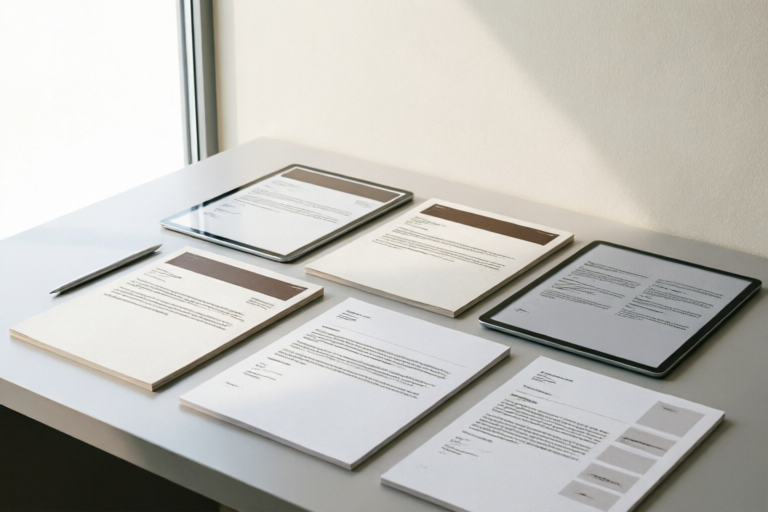
Professional Business Templates for Formal Emails
Enhance Your Business Communication with Professional Email Templates
Introduction to Professional Business Email Templates
In today's fast-paced business environment, effective communication is crucial for success. Formal email communication plays a vital role in maintaining professional relationships, conveying important information, and ensuring clarity in transactions. One way to streamline this process is by using professional business email templates. These pre-designed formats not only save time but also ensure consistency and professionalism across all correspondence.
Importance of Formal Email Communication in Business
- Clarity: A well-crafted email clearly conveys the message without room for misinterpretation.
- Efficiency: Templates help reduce the time spent on drafting each email, allowing you to focus more on content rather than format.
- Consistency: Using consistent templates ensures that all communications follow a uniform style, which is particularly important for large organizations.
Overview of the Role of Templates in Enhancing Efficiency and Professionalism
Email templates serve as a foundation upon which you can build personalized messages. They provide a structured framework that helps maintain professionalism while ensuring that every piece of communication adheres to your organization’s standards.
Types of Professional Business Emails
Introduction Emails to New Clients or Colleagues
An introduction email sets the tone for future interactions. It should be warm yet professional, providing just enough information about yourself or your company to establish credibility.
Meeting Requests and Confirmations
When scheduling meetings, it's essential to include all necessary details such as date, time, location, agenda, and any preparatory materials required.
Follow-Up Emails After Meetings or Calls
A follow-up email reinforces the points discussed during a meeting or call and outlines next steps. This helps keep everyone aligned and moving forward.
Complaint Handling and Resolution Emails
Handling complaints professionally requires empathy, understanding, and a commitment to resolving issues promptly. The email should acknowledge the problem, express regret, outline steps being taken to resolve it, and thank the customer for bringing it to your attention.
Job Offer and Rejection Letters
Job offer letters should be clear, detailed, and enthusiastic, while rejection letters need to be respectful and considerate. Both types of emails should include relevant information like salary details, start dates, or feedback on why another candidate was chosen.
Key Elements of a Professional Email Template
Proper Salutation and Greeting
The opening of an email sets the tone for the entire message. Use appropriate titles (Mr., Ms., Dr.) followed by the recipient's last name when addressing someone formally.
Clear and Concise Subject Lines
The subject line is often the first thing recipients see, so make sure it accurately reflects the content of the email. Avoid vague phrases like 'Hi' or 'FYI'; instead, use specific terms that convey the purpose of the email.
Structured Body Paragraphs
Organize your message logically into paragraphs. Each paragraph should cover one main point, making it easier for readers to digest the information quickly.
Appropriate Closing and Signature
End your email with a polite closing such as 'Sincerely' or 'Best regards,' followed by your full name and job title. Include contact information if applicable.
Proofreading and Editing Tips
Always review your emails before sending them out. Check for spelling mistakes, grammatical errors, and inconsistencies in tone or style.
Customization Tips for Business Email Templates
Tailoring Templates for Different Industries
Different industries may require slightly different approaches to email communication. For example, tech companies might use more technical language compared to retail businesses.
Adjusting Templates Based on Company Culture
Every company has its own unique culture, which should be reflected in its email communication. Whether your company is casual or formal, ensure that your emails align with these values.
Incorporating Personal Touches While Maintaining Professionalism
Add a personal touch to make your emails feel less robotic and more human. However, always maintain a professional demeanor throughout.
Tools and Resources for Creating Effective Email Templates
Recommended Software and Online Tools
There are numerous tools available that can assist in creating and managing email templates. Some popular options include Microsoft Outlook, Google Workspace, and specialized software like Mailchimp or HubSpot.
Best Practices for Managing and Updating Templates
Regularly update your templates to reflect changes in company policy, industry trends, or personal preferences. Keep backups of older versions in case they need to be referenced later.
Free and Premium Template Options Available
Many platforms offer both free and paid templates. Free versions usually come with basic designs, whereas premium ones provide more customization options and support.
Conclusion: The Value of Using Professional Templates
Using professional email templates can significantly improve the quality and efficiency of your business communications. By adopting consistent email practices, you not only enhance your reputation but also foster better relationships with clients and colleagues.
Comments

Used this for a customer message. Kept it professional but friendly. Worked like a charm!
Great tips on proofreading and editing! I always miss small errors.

Is there a way to make the templates more personalized without losing that professional touch?

Used the job offer/rejection letter template last week. Very professional and clear. Would recommend.

Saved this template for follow-ups. It's so much easier than starting from scratch.

How would you suggest tailoring these templates for a more creative industry like marketing?

Used this intro email template with a new client yesterday, and it really set the right tone. Thanks!