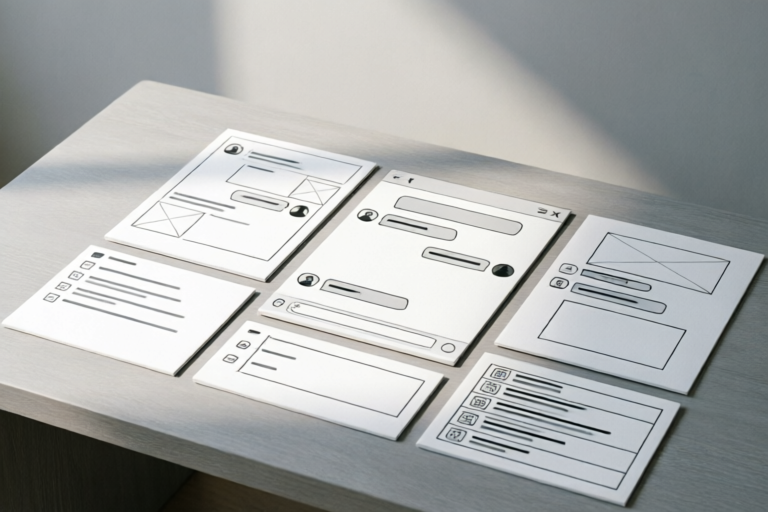
Instant Messaging Templates for Daily Office Communication
Efficient Communication Starts Here
### Article Outline: Instant Messaging Templates for Daily Office Communication
1. Introduction to Instant Messaging in the Workplace
Overview of the Importance of Instant Messaging in Modern Offices: In today's fast-paced business environment, instant messaging has become an essential tool for communication. It allows employees to exchange information quickly, collaborate effectively, and respond to queries in real-time. Whether you're working remotely or in an office setting, instant messaging can significantly boost productivity.
Benefits of Using Instant Messaging Templates for Daily Communication: By utilizing pre-defined templates, teams can ensure consistent and professional communication. These templates save time by providing ready-made responses for common scenarios, reducing the need for lengthy typing and ensuring clarity in messages.
2. Basic Templates for Quick Responses
Greeting Messages for Colleagues and Clients: Starting a conversation on the right foot is crucial. Use friendly yet professional greetings like:
- "Good morning! How’s your day going?"
- "Hi [Name], hope you're doing well."
- "Hello, it’s great to connect with you again."
Standard Responses for Common Inquiries: For frequently asked questions such as availability or meeting times, consider these templates:
- "I’m currently available, but let me check my schedule for the next few hours."
- "Sure, I can join at [time]. Shall we set up a meeting?"
- "I’ll be free after [time], is that convenient for you?"
Friendly Sign-Offs to Maintain Professional Relationships: Ending conversations politely helps maintain positive relations:
- "Thanks for chatting! Have a great day."
- "Looking forward to our next discussion. Take care!"
- "Thank you so much for your time. Speak soon!"
3. Templates for Task Management and Coordination
Clear Instructions for Assigning Tasks: Ensure everyone understands their responsibilities clearly:
- "[Name], please complete this task by [deadline] and send it over for review."
- "Could you take care of [task]? Let me know if you need any resources."
- "I’ve assigned [task] to you. Please confirm receipt and ask for clarification if needed."
Status Updates on Ongoing Projects: Keep team members informed about progress:
- "We’re halfway through the project. Next steps include [details]."
- "The current status of the project is [status]. Any questions before moving forward?"
- "Progress update: [percentage]% completed. Expect final delivery by [date]."
Reminders for Upcoming Deadlines and Meetings: Stay organized with timely reminders:
- "Don’t forget the deadline is this Friday."
- "Our next meeting is scheduled for [date] at [time]."
- "Please prepare your presentation for tomorrow’s meeting."
4. Templates for Feedback and Acknowledgment
Constructive Feedback on Work Performance: Provide helpful feedback that encourages growth:
- "Great job on [specific task]. Here are a couple of areas where we could improve: [suggestions]."
- "Your work on [project] was excellent. Consider these points for future reference: [feedback]."
- "I appreciate your effort. To enhance quality, try focusing on [aspect]."
Positive Acknowledgment of Contributions: Recognize hard work and dedication:
- "Thank you for your contribution to [project]. Your efforts have been invaluable."
- "Kudos for completing [task] ahead of schedule. Well done!"
- "Your input has really made a difference. Keep up the good work!"
Suggestions for Improvement with Actionable Steps: Offer constructive suggestions that lead to better outcomes:
- "Here are some ways to improve: [actionable steps]."
- "To enhance performance, consider implementing [suggestions]."
- "Let’s work together to address these areas: [specific points]."
5. Templates for Conflict Resolution and Support
Calm and Professional Responses to Misunderstandings: Address issues calmly and professionally:
- "I understand your concern. Let’s discuss this further and find a solution."
- "It seems there might be a misunderstanding. Could we clarify this point?"
- "I appreciate your patience. Let’s work together to resolve this issue."
Offers of Assistance When a Colleague is Struggling: Show support and offer help:
- "If you need any assistance, feel free to reach out. I’m here to help."
- "I can assist you with [task]. Would you like some guidance?"
- "Let’s tackle this together. What do you think is the best approach?"
Guidance on Resolving Disputes Amicably: Promote a positive work environment:
- "Let’s focus on finding a mutually beneficial solution."
- "We should aim for a resolution that works for everyone involved."
- "It’s important to maintain professionalism during discussions."
6. Conclusion: Maximizing Efficiency with Instant Messaging Templates
Recap of the Benefits of Using Standardized Templates: Using instant messaging templates can streamline communication, reduce errors, and ensure consistency. They provide a framework for clear and concise messages, making it easier for teams to stay connected and productive.
Encouragement to Customize Templates to Fit Specific Workplace Needs: While these templates are useful, they should be tailored to suit the unique requirements of each organization. Adapt them to reflect your company culture and specific workflows.
Final Thoughts on Maintaining Effective Communication in the Digital Age: As digital communication continues to evolve, it’s essential to prioritize clear, respectful, and efficient interactions. By leveraging instant messaging templates, teams can enhance collaboration and foster a positive work environment.
Comments

The feedback templates are spot on. Made giving constructive criticism much easier.
Saved this template. The quick response section is a lifesaver for busy days.

These templates are super useful for customer messages too. Thanks!

These would be great for job applications too! Any tips on adapting them for that purpose?

Suggestions for improving the greeting messages? Maybe add some emojis for a friendlier touch?
Loved the conflict resolution section. It really helped me handle a tricky situation with a colleague.
How do I tweak these for a more casual office vibe? The feedback templates feel a bit too formal.
Used this and it worked! Saved time with the task management templates, especially the reminders.